

How Can School Operators Synchronize Data Through the Dapodik System?
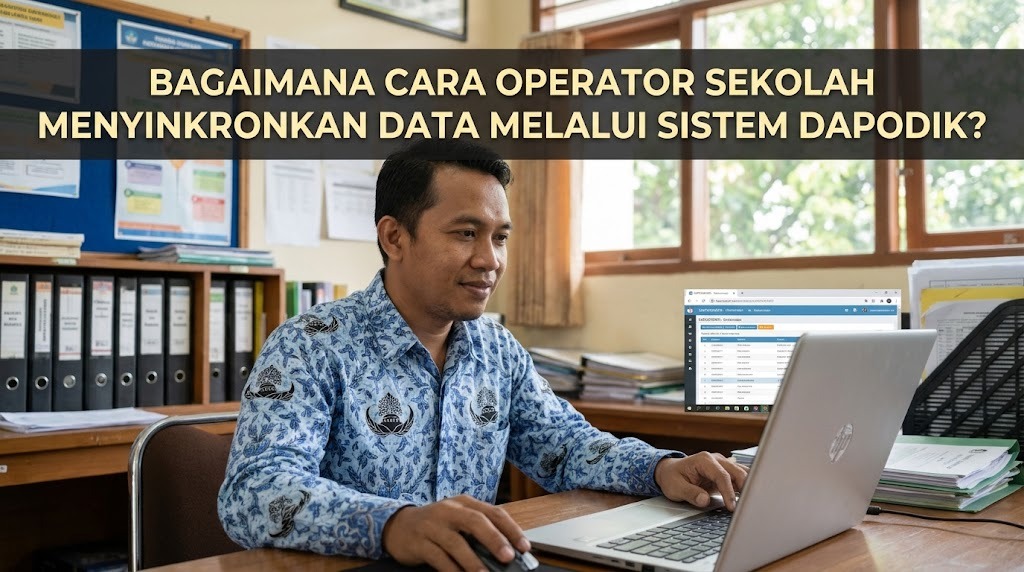
The Dapodik system, or Data Pokok Pendidikan, is Indonesia's national education data system used to manage information about schools, students, teachers, educational staff, and school facilities. School operators play an important role in ensuring that this information is accurate, complete, and updated according to official requirements. One of their main responsibilities is synchronizing data so that changes recorded in the local application can be submitted to the central database. Dapodik synchronization must be completed carefully because inaccurate or incomplete information can affect educational administration and related government programs. By following the correct procedures, school operators can maintain reliable records and support better education management.
UNDERSTANDING THE DAPODIK SYNCHRONIZATION PROCESS
Dapodik synchronization is the process of sending updated information from the school's local Dapodik application to the central server managed by the Ministry of Primary and Secondary Education. The information may include school identity, student records, teacher data, learning activities, class groups, and school facilities. Synchronization allows the central database to receive changes entered by authorized school personnel. It is therefore an essential part of maintaining accurate national education records.
School operators should understand the difference between synchronization and the Tarik Data feature. Synchronization sends changes from the local application to the central server, while Tarik Data retrieves certain updates from the server into the local application. These functions serve different purposes and should not be confused. Before beginning, operators should ensure that they are using the appropriate feature for their needs. Understanding this distinction helps prevent situations in which changes are entered locally but are not submitted as intended.
PREPARING SCHOOL DATA BEFORE SYNCHRONIZATION
Before synchronizing Dapodik, school operators must ensure that the information in the application reflects the school's actual conditions. They should review student identities, enrollment status, teacher assignments, class groups, curriculum information, and facility records. Supporting documents should be checked whenever information is added or changed. This preparation helps reduce errors and ensures that the data submitted is consistent with the school's administrative records.
Operators should also confirm that the application is functioning correctly and that the computer has a stable internet connection. Using the appropriate application version and semester is important because the available features and validation requirements may change. Accurate data entry and proper documentation can reduce the time needed to correct errors later. School operators should coordinate with the principal and relevant staff members if information is missing or requires confirmation. Completing these preparations creates a stronger foundation for successful synchronization.
VALIDATING DATA BEFORE SENDING IT
Data validation is an essential step that helps identify incomplete, inconsistent, or invalid information before synchronization. School operators can access the validation menu in the Dapodik application and review the relevant data categories. These may include school information, facilities, students, teachers and educational staff, class groups, schedules, learning activities, grades, and reference data. The exact categories and validation rules depend on the application version and the school's circumstances.
Operators should correct all blocking errors marked as invalid before attempting to synchronize. Some warnings may not prevent synchronization, but they should still be reviewed to determine whether further corrections are necessary. If an error concerns information that cannot be edited directly in the local application, the operator may need to use the appropriate verification platform or contact the relevant education office. Once the required corrections have been made, the operator should run validation again. This process helps ensure that the data is ready to be submitted to the central database.
PERFORMING SYNCHRONIZATION THROUGH THE DAPODIK APPLICATION
After completing data entry and validation, school operators can proceed with the synchronization process. The following steps describe the general procedure, although the interface may differ depending on the installed Dapodik version.
- Open the Dapodik application and log in using the appropriate account.
- Review the validation results and confirm that all blocking errors have been resolved.
- Use the authorized school principal account or the officially supported principal-authorization feature. The principal's approval is required for the data submission process described in the Dapodik guidance.
- Open the Synchronization menu and review the information about the data changes to be submitted.
- Confirm the submission approval when the application displays the required statement concerning data accuracy and integrity.
- Click the Synchronization button and wait for the submission process to finish. Maintain a stable internet connection while the progress indicator is running.
The application should display information about the synchronization result when the process ends. Operators should review the status and any messages provided by the system. If the process fails or displays an error, they should follow the recommended troubleshooting steps instead of assuming that the data has been submitted successfully. Successful synchronization requires both correct preparation and verification of the submission result.
VERIFYING SYNCHRONIZATION RESULTS AND HANDLING ERRORS
After synchronization, school operators should verify that the submitted data has reached the central system. They can check the synchronization status in the application and consult the official Dapodik data progress page when available. The progress information can help confirm whether the school's submission has been recorded. Operators should also review relevant school data to ensure that the intended changes have been processed.
If the synchronization progress does not appear, operators should first confirm that they selected Sinkronisasi rather than Tarik Data. They should review the validation results, check the internet connection, and examine any error messages displayed by the application. If the submission still cannot be verified, they should consult the official Dapodik helpdesk or the relevant education office. Providing screenshots, the school's identification information, and a description of the problem can help technical support investigate the issue. Operators should avoid repeatedly changing records without understanding the cause of the error.
MAINTAINING ACCURATE DATA THROUGH REGULAR MONITORING
Dapodik management should be treated as an ongoing responsibility rather than a task completed only when a reporting deadline approaches. School operators should review records whenever changes occur, including new student enrollments, student transfers, teacher assignment changes, and updates to school facilities. They should also monitor official announcements about semester updates, application versions, and administrative deadlines. Regular data monitoring helps schools identify problems early and reduces the risk of submitting outdated information.
Cooperation between school operators, principals, teachers, and administrative staff is essential for maintaining reliable records. Teachers and other staff members should report relevant changes and provide supporting documents when necessary. Principals should supervise the process and ensure that submitted information accurately represents the school's actual conditions. Operators should maintain appropriate records of corrections and completed synchronization activities. By combining regular reviews, clear responsibilities, and careful documentation, schools can improve data accuracy and manage their administrative work more effectively.
CONCLUSION
School operators can synchronize data through the Dapodik system by preparing accurate records, completing data validation, obtaining the required authorization, and using the Synchronization feature in the application. After submitting the data, they should verify the result through the application or the official data progress service. Accurate data entry, successful synchronization, and regular monitoring are essential for maintaining reliable school information. Operators should also coordinate with school principals and relevant education offices whenever errors or verification issues arise. By following official procedures and keeping records updated, schools can support more effective educational administration and national education planning.
Recent Posts

Bagaimana Sistem SKS pada Program Kuliah... 22.11.2026/50 View

How Does Technology Make Daily Evaluation... 21.11.2026/79 View

Apa Strategi Menghadapi Kesenjangan antara Kompetensi... 21.11.2026/79 View

Mengapa Inventaris Aset Penting bagi Kelancaran... 21.11.2026/75 View

When Should Musicians Join a Record... 21.11.2026/80 View
