

How Can You Choose the Right Digital Calendar Application?
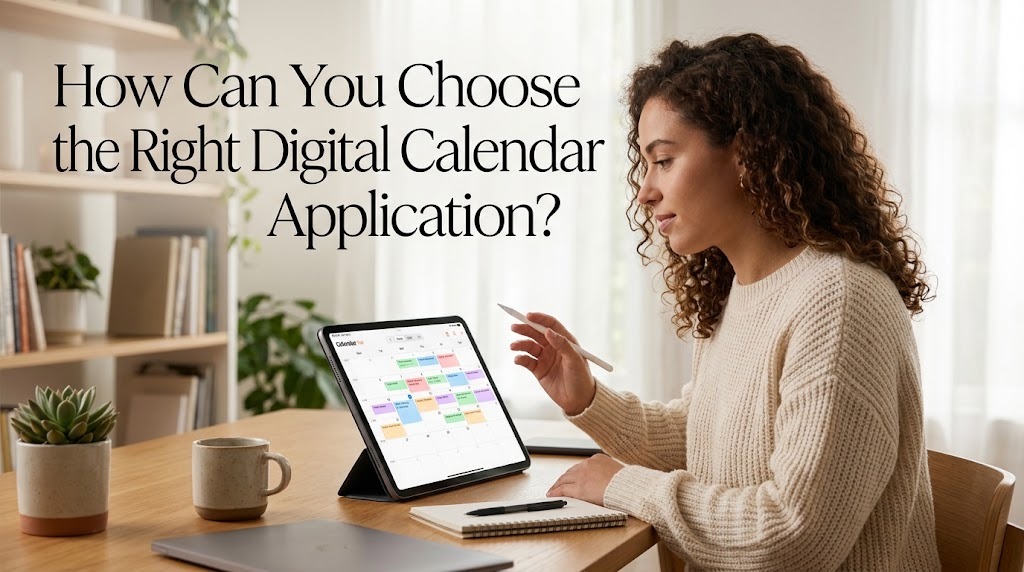
Choosing the right digital calendar application can make daily planning easier, improve productivity, and help people manage their time more effectively. With many calendar applications available, finding the best option depends on personal needs, work habits, preferred devices, and scheduling requirements. Some applications focus on simple event management, while others offer advanced features such as task integration, shared calendars, and automatic reminders. By understanding these differences, users can select a digital calendar that supports their routines without adding unnecessary complexity.
IDENTIFY YOUR SCHEDULING NEEDS
The first step in choosing a digital calendar application is understanding how you plan to use it. Students may need a calendar to organize classes, examinations, assignments, and study sessions. Employees may prioritize meeting schedules, project deadlines, and team collaboration, while individuals managing busy households may need shared calendars for family activities. Identifying these requirements helps narrow down the available options.
Consider whether you need basic event scheduling or more advanced planning features. If your schedule is relatively simple, an application with a clean interface and reliable reminders may be sufficient. However, if you manage multiple projects or responsibilities, features such as recurring events, task lists, and calendar sharing may be more useful. Choosing an application based on actual needs helps prevent unnecessary complexity and makes daily planning easier.
COMPARE THE MAIN FEATURES
Digital calendar applications offer different features that can influence their usefulness. Most provide daily, weekly, and monthly views, allowing users to understand their schedules from different perspectives. Some also include recurring events, color coding, notifications, and invitations for meetings. These features help users organize commitments and identify scheduling conflicts before they become problems.
Before choosing an application, compare which features are available and whether they require a paid subscription. For example, a person who frequently attends online meetings may benefit from calendar integration with video conferencing tools. Someone who needs to manage personal and professional responsibilities may prefer an application that supports multiple calendars. Focus on features that solve real scheduling problems rather than selecting an application simply because it offers the largest number of functions.
CHECK DEVICE COMPATIBILITY AND SYNCHRONIZATION
Device compatibility is another important factor when selecting a digital calendar. Some people primarily use smartphones, while others manage their schedules on laptops, tablets, or desktop computers. An application that works smoothly across your preferred devices can make it easier to check appointments and update plans throughout the day. Before making a decision, confirm that the application supports your operating systems and devices.
Synchronization is equally important because it keeps calendar information consistent across connected devices. For example, an event created on a computer should appear on a connected smartphone when synchronization is enabled and functioning correctly. This feature reduces the risk of working with outdated schedules. However, synchronization may depend on an internet connection, account settings, and application compatibility, so it is worth checking how the service handles offline access and updates.
EVALUATE THE USER INTERFACE AND EASE OF USE
A digital calendar should be easy to understand and convenient to operate. A clear interface allows users to add events, change appointment times, and review upcoming activities without spending too much time navigating menus. Features such as simple navigation, readable text, and clear event labels can make daily scheduling more comfortable. An application with too many complicated settings may discourage consistent use, especially for beginners.
Try using the calendar before committing to it for long-term planning. Add a few appointments, create a recurring event, and test its reminder settings to see whether the process feels natural. Check whether important information is easy to find and whether the calendar remains readable when the schedule becomes busy. The best application is not necessarily the most advanced one, but the one that fits your habits and makes organizing time easier.
REVIEW REMINDERS AND NOTIFICATION OPTIONS
Reminders help users remember appointments, deadlines, and other important responsibilities. When choosing a digital calendar, check whether it allows flexible notifications for different types of events. For example, a meeting may require a reminder ten minutes beforehand, while an important examination may require several days of preparation. Flexible notification settings help users prepare appropriately without receiving unnecessary alerts.
It is also important to understand how notifications work on your devices. Some reminders may not appear if notifications are disabled, battery restrictions interfere with background activity, or account synchronization is delayed. Choose an application that allows you to manage alerts according to your preferences. Regularly checking notification settings can help ensure that reminders remain useful and do not become a source of distraction.
CONSIDER CALENDAR SHARING AND COLLABORATION
Calendar sharing is particularly useful for people who coordinate activities with others. Families can use shared calendars to organize appointments, school events, and household responsibilities. Students can coordinate group assignments, while employees can schedule meetings and monitor project milestones. These features reduce the need for repeated messages and help everyone stay informed about relevant activities.
Before selecting an application, check how sharing permissions work. Some calendars allow users to view events, while others can grant permission to edit schedules or manage appointments. This distinction is important when sharing information with colleagues, friends, or family members. Choose an application that provides the collaboration features you need while allowing you to control which information other people can access.
CHECK PRICING, PRIVACY, AND SECURITY
Many digital calendar applications offer free versions with basic scheduling features. Others provide paid plans that include additional storage, advanced collaboration tools, or integration with productivity services. Compare the available plans and determine whether the extra features justify the cost. If you only need personal scheduling and reminders, a free application may already meet your requirements.
Privacy and security should also influence your decision. Calendar entries may contain personal appointments, work meetings, travel plans, or other sensitive information. Review the application's privacy policy, account security options, and sharing controls before storing important details. Use a strong password, enable multifactor authentication when available, and avoid making private events publicly accessible. A suitable digital calendar should provide both practical functionality and reasonable control over personal information.
TEST THE APPLICATION BEFORE MAKING A FINAL CHOICE
Testing several calendar applications can help you identify which one works best for your routine. Options such as Google Calendar, Microsoft Outlook Calendar, and Apple Calendar offer different combinations of scheduling, integration, and device support. Compare them based on your needs rather than assuming that one application is suitable for everyone. A short trial can reveal whether the interface, reminders, and organization tools meet your expectations.
During the trial, use the application for ordinary daily activities instead of evaluating it only through its feature list. Add appointments, organize recurring events, share a calendar if necessary, and review your upcoming week. Notice whether the application saves time, reduces scheduling confusion, and fits naturally into your routine. After comparing the results, choose the option that offers the best balance of convenience, reliability, privacy, and essential features.
CONCLUSION
Choosing the right digital calendar application requires careful consideration of scheduling needs, features, device compatibility, ease of use, reminders, collaboration, pricing, and security. The most suitable option is one that supports your daily responsibilities without making planning unnecessarily complicated. By testing available applications and comparing their practical benefits, you can find a reliable tool for organizing appointments, managing deadlines, and improving productivity. Consistent use of the chosen calendar will help you develop better time management habits over time.
Recent Posts

Bagaimana Sistem SKS pada Program Kuliah... 22.11.2026/56 View

How Does Technology Make Daily Evaluation... 21.11.2026/86 View

Apa Strategi Menghadapi Kesenjangan antara Kompetensi... 21.11.2026/84 View

Mengapa Inventaris Aset Penting bagi Kelancaran... 21.11.2026/82 View

When Should Musicians Join a Record... 21.11.2026/86 View
