

How Can You Fix an OTP Code That Is Not Arriving on Your Mobile Phone?
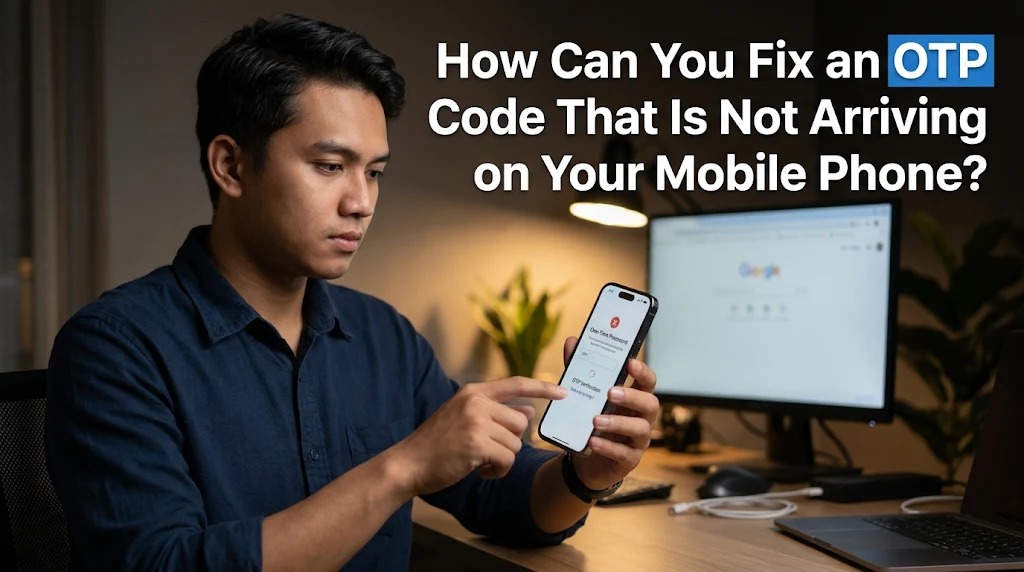
An OTP (One-Time Password) is an important security feature used to verify user identities when accessing digital accounts, completing online transactions, or resetting passwords. This temporary code is commonly delivered through SMS to the mobile phone number registered with a particular service. However, users sometimes experience problems when an OTP code does not arrive, even after requesting it several times.
This situation can be frustrating, especially when users need immediate access to banking applications, digital wallets, social media accounts, or other online services. Delayed or missing OTP messages can happen for several reasons, including network problems, incorrect phone numbers, mobile operator restrictions, and technical errors within the service provider's system. Understanding these causes can help users identify the problem and find the right solution without compromising account security.
COMMON REASONS WHY OTP CODES DO NOT ARRIVE
One of the most common reasons an OTP code does not arrive is an unstable mobile network connection. SMS messages depend on communication between the service provider and the mobile operator. If the network is experiencing interruptions, the verification message may be delayed or fail to reach the user's phone.
Another possible cause is an incorrect registered phone number. Even a small mistake in the country code or mobile number can prevent the system from delivering the verification message to the intended recipient. In addition, some mobile operators may temporarily experience service disruptions that affect incoming SMS messages.
Other technical issues can also interfere with OTP delivery. For example, a smartphone may have limited storage, an active message filter, or settings that automatically block messages from unknown senders. Understanding these possibilities is the first step toward resolving missing OTP notifications.
CHECK YOUR MOBILE NETWORK AND PHONE SETTINGS
The first step is to check whether your mobile phone has a stable cellular signal. Weak reception or temporary network interruptions can prevent SMS messages from arriving on time. Try moving to an area with better coverage or switching between available network modes if your device supports this feature.
You can also activate Airplane Mode for several seconds and then turn it off to refresh your mobile network connection. Another useful step is restarting your smartphone because this can help resolve temporary system or connectivity problems. After reconnecting to the network, wait briefly before requesting another OTP code.
Additionally, check whether your phone can receive ordinary SMS messages from other numbers. If regular text messages also fail to arrive, the problem may involve your mobile operator or device settings rather than the OTP service itself. Contacting your mobile operator may help identify network restrictions or other delivery problems.
MAKE SURE YOUR REGISTERED PHONE NUMBER IS CORRECT
An OTP code can only reach the intended destination if the registered mobile number is accurate. Therefore, users should carefully check the phone number displayed on the verification page before requesting another code. Pay attention to every digit, including the country code and any required international dialing format.
For example, when using an Indonesian mobile number, some platforms require the international country code +62 instead of the initial zero. Entering an incorrect format may cause the verification system to recognize the number incorrectly. However, users should always follow the format requested by the specific platform.
If the registered number is no longer active or belongs to an old SIM card, the OTP message may be delivered to an inaccessible destination. In this situation, users should follow the platform's official account recovery procedure to update their phone number. Never provide account credentials or verification codes to unofficial parties claiming they can change the registered number.
REQUEST A NEW OTP CODE AND CHECK MESSAGE FILTERS
If the mobile network and registered number are correct, users can try requesting a new OTP code. However, avoid pressing the resend button repeatedly within a short period because some platforms apply temporary restrictions to prevent excessive verification requests. Wait until the countdown or resend option becomes available before requesting another message.
Users should also check their SMS inbox, spam folder, and blocked message list. Some smartphones automatically filter messages from unknown senders, including automated verification notifications. As a result, an OTP message may have arrived but could be stored in a different folder instead of the main inbox.
If multiple OTP messages arrive after a delay, always use the latest valid code associated with the most recent verification request. Previous codes may have expired or become invalid after a new request. Entering an outdated code can cause verification failures even when the message has finally arrived.
CONTACT YOUR MOBILE OPERATOR OR DIGITAL SERVICE PROVIDER
If the OTP code still does not arrive after checking the device and network settings, the next step is to contact your mobile operator. Explain that you cannot receive automated verification messages and ask whether there are restrictions affecting incoming SMS services. Some operators may be able to identify message delivery failures or technical problems involving their network.
If ordinary SMS messages arrive normally but OTP messages from a particular platform remain missing, contact that platform's official customer support. The problem may originate from its authentication server, SMS gateway, or verification system. Customer support can help determine whether the service is experiencing technical difficulties.
When requesting assistance, provide relevant information such as the time of the verification request, the registered phone number, and the type of service involved. However, never share your OTP code, password, or other confidential authentication information with customer support representatives. Legitimate support teams should not require your active verification code to investigate a delivery problem.
ALTERNATIVE WAYS TO RECEIVE OTP CODES AND PREVENT FUTURE PROBLEMS
Some digital platforms offer alternative verification methods when SMS delivery is unavailable. Depending on the service, users may be able to receive an OTP through email, an authenticator application, or an automated voice call. These alternatives can help users complete identity verification without depending entirely on mobile network availability.
An authenticator application is particularly useful because it can generate temporary verification codes directly on a smartphone without requiring an incoming SMS message. However, users should configure the application correctly and keep their recovery codes in a secure location. Losing access to the authenticator application without a recovery method may make account access more difficult.
To prevent future OTP delivery problems, users should keep their registered phone numbers active, regularly update their account information, and maintain reliable mobile network access. They should also avoid suspicious links and never share verification codes with anyone. By combining appropriate technical settings with responsible digital habits, users can make the authentication process more reliable and secure.
CONCLUSION
An OTP code that does not arrive on a mobile phone can be caused by various issues, including unstable network connections, incorrect phone numbers, SMS filtering, operator restrictions, and technical problems within digital platforms. Fortunately, most of these issues can be addressed by checking phone settings, refreshing the network, verifying registered information, and requesting a new code after the appropriate waiting period.
If these solutions do not work, contacting the mobile operator or the platform's official customer support can help identify the underlying problem. Users can also consider alternative authentication methods, such as authenticator applications, when available. Understanding these solutions makes it easier to resolve OTP delivery problems while maintaining the security of personal digital accounts.
Recent Posts

Bagaimana Sistem SKS pada Program Kuliah... 22.11.2026/35 View

How Does Technology Make Daily Evaluation... 21.11.2026/69 View

Apa Strategi Menghadapi Kesenjangan antara Kompetensi... 21.11.2026/69 View

Mengapa Inventaris Aset Penting bagi Kelancaran... 21.11.2026/67 View

When Should Musicians Join a Record... 21.11.2026/68 View
