

How Can You Keep Your Digital Notes Safe And Secure?
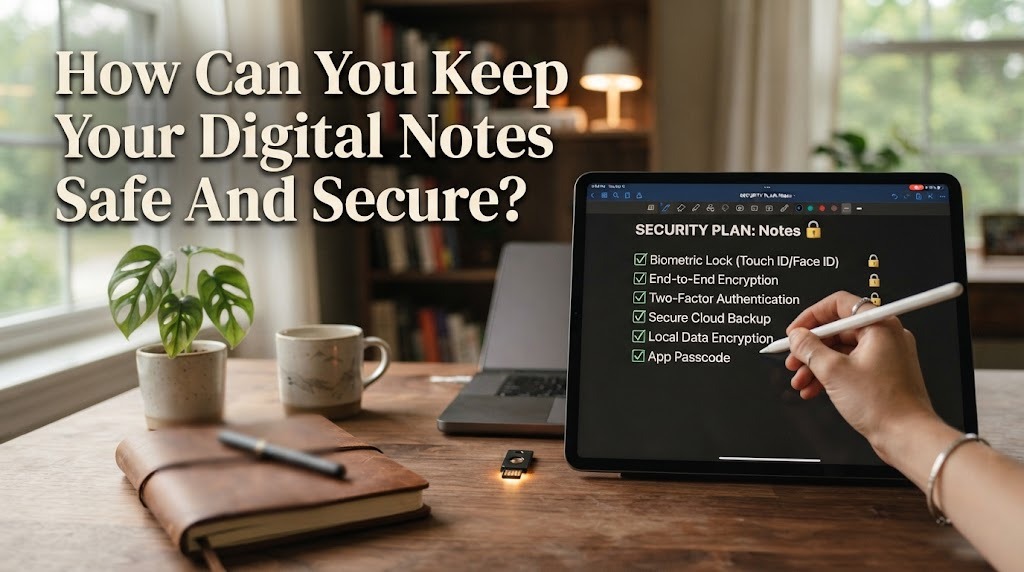
Digital notes are useful for storing school materials, work information, personal ideas, schedules, and other important details. Because many notes contain valuable or private information, keeping them safe and secure is an important habit. Digital notes can be affected by accidental deletion, lost devices, weak passwords, or unauthorized access. Fortunately, several simple steps can help users protect their information.
Good security does not always require complicated technical skills. Users can improve the safety of their notes by using strong passwords, enabling security features, making backups, and managing access carefully. These habits can reduce the risk of losing or exposing important information.
USE A STRONG PASSWORD
A strong password is one of the first protections for digital notes. Users should create passwords that are long, unique, and difficult to guess. Avoid using simple information such as birthdays, names, or common words that other people may easily know. Different accounts should also have different passwords so that one compromised account does not put other accounts at the same risk.
If remembering many passwords is difficult, a trusted password manager can help store them securely. Users should also avoid sharing their passwords with other people. Keeping login information private can significantly reduce unauthorized access.
ENABLE TWO FACTOR AUTHENTICATION
Two factor authentication adds another layer of protection to an account. Besides entering a password, users may need to confirm their identity through an authentication app, security key, or another approved method. This means that knowing the password alone may not be enough to access the account.
When this feature is available, enabling it can provide extra account security. Users should keep their recovery methods updated and store backup codes in a safe place. This is especially important for accounts that contain many personal or important notes.
BACK UP IMPORTANT DIGITAL NOTES
Backing up notes is important because digital information can disappear for many reasons. A device may be lost, damaged, reset, or affected by a technical problem. Regular backups can help users restore important information if the original notes are no longer available.
Users can keep backups in a trusted cloud service or another secure storage location. Important files can also be saved in more than one location when appropriate. However, backups should also be protected because an unsecured backup can create another security risk.
KEEP YOUR DEVICES UPDATED
Software updates can improve the security and performance of smartphones, tablets, and computers. Updates may include security fixes that protect devices from known vulnerabilities. Ignoring important updates for a long time can leave an older version of software exposed to security problems.
Users should update their operating system and note taking applications when reliable updates are available. It is also useful to remove applications that are no longer needed. Keeping software updated is a simple habit that can strengthen overall digital security.
BE CAREFUL WHEN SHARING NOTES
Some digital note applications allow users to share notes with other people. This feature can be useful for group projects, teamwork, or sharing study materials. However, users should check who can access the notes before sending or sharing them.
When possible, choose the appropriate permission level, such as viewing instead of editing. Avoid publicly sharing notes that contain private information, passwords, financial details, or other sensitive data. Reviewing shared access regularly can also help prevent unwanted access.
AVOID USING UNSAFE NETWORKS
Internet connections can affect how safely users access their digital accounts. Public Wi-Fi networks may not always provide the same level of security as a trusted private network. Users should be careful when accessing important accounts or sensitive notes through unfamiliar networks.
When using public internet, avoid entering sensitive information on suspicious websites or applications. Using secure connections and trusted services can reduce unnecessary risks. If a connection seems unusual or unsafe, waiting until a trusted network is available can be a safer choice.
CHECK YOUR NOTE TAKING APPLICATION
Not every note taking application provides the same security and privacy features. Before storing important information, users should understand how the application handles account security, synchronization, sharing, and data storage. Reading the application's privacy and security information can help users make informed choices.
Users should also check which devices or accounts are connected to their note service. If an unfamiliar device appears, access should be reviewed immediately. Choosing a reputable application and using its available security settings can provide better protection.
REVIEW AND CLEAN UP YOUR NOTES
Regularly reviewing digital notes can improve both organization and security. Old information that is no longer needed can be deleted or moved to appropriate storage. Removing unnecessary sensitive information reduces the amount of private data that remains accessible.
Users should also check whether old shared links, accounts, or permissions are still active. Important notes should remain backed up before unnecessary files are deleted. A regular security review can help users maintain better control over their digital information.
CONCLUSION
Keeping digital notes safe requires several simple but consistent habits. Strong passwords, two factor authentication, regular backups, software updates, and careful sharing can provide important layers of protection. Users should also pay attention to the security of their devices, applications, and internet connections.
No digital system is completely free from risk, but good security practices can reduce many common problems. By managing access carefully and protecting important information, users can enjoy the convenience of digital notes while maintaining better privacy and security.
Recent Posts

Bagaimana Sistem SKS pada Program Kuliah... 22.11.2026/33 View

How Does Technology Make Daily Evaluation... 21.11.2026/67 View

Apa Strategi Menghadapi Kesenjangan antara Kompetensi... 21.11.2026/67 View

Mengapa Inventaris Aset Penting bagi Kelancaran... 21.11.2026/65 View

When Should Musicians Join a Record... 21.11.2026/66 View
