

How Can You Protect Your Eyes in the Digital Era?
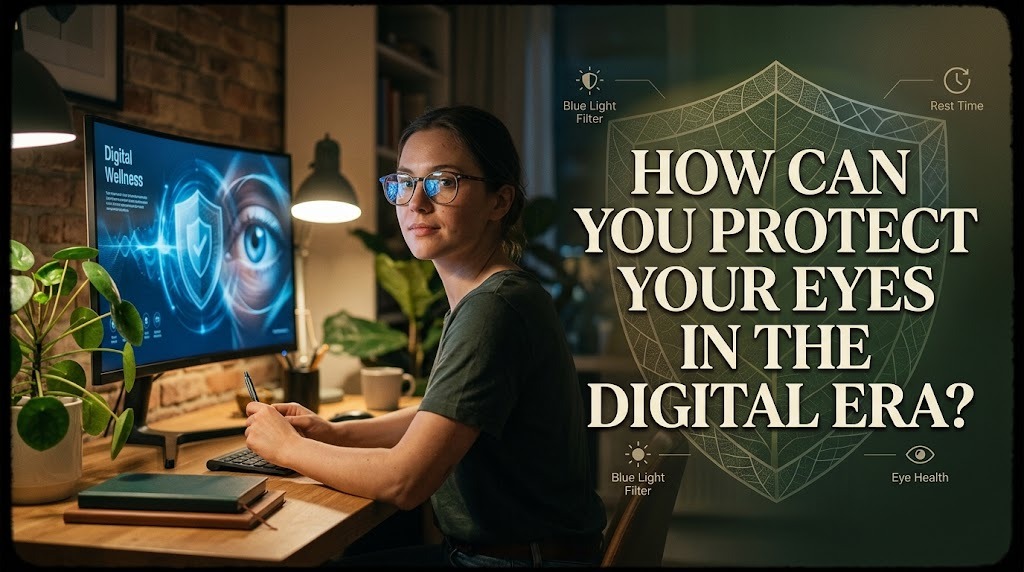
Digital devices have become an essential part of modern life. Smartphones, computers, tablets, and other screens support communication, education, entertainment, and work. However, spending long periods looking at screens can contribute to eye strain, dry eyes, headaches, and temporary blurred vision. Protecting eye health in the digital era requires healthy screen habits, a comfortable working environment, and regular attention to vision changes.
FOLLOW THE 20-20-20 RULE
One practical way to reduce digital eye strain is to follow the 20-20-20 rule. After every 20 minutes of screen use, look at an object approximately 20 feet away for at least 20 seconds. This habit gives the eyes a short break from focusing at a close distance. Although it does not prevent every eye problem, it can help reduce discomfort associated with prolonged screen use.
ADJUST SCREEN BRIGHTNESS AND POSITION
Screen settings can influence how comfortable the eyes feel during digital activities. A screen that is much brighter or darker than its surroundings may increase visual discomfort. Adjust the brightness to match the room's lighting and position the screen at a comfortable distance, generally around an arm's length for a computer monitor. Keeping the screen slightly below eye level may also help reduce neck strain and limit excessive exposure of the eye surface.
BLINK REGULARLY TO PREVENT DRY EYES
People often blink less frequently when concentrating on digital screens. Reduced blinking can cause tears to evaporate more quickly, leading to dryness, irritation, or a gritty sensation. Making a conscious effort to blink fully and regularly can help maintain the tear film that protects the eye surface. If dryness persists, an eye care professional can recommend appropriate treatment, including suitable lubricating eye drops when necessary.
TAKE REGULAR BREAKS FROM DIGITAL DEVICES
Continuous screen use can leave the eyes feeling tired, particularly during long study or work sessions. Taking short breaks allows people to change their focusing distance, move around, and relax their visual attention. It can also help reduce discomfort associated with sitting in one position for too long. Scheduling breaks between tasks makes it easier to maintain healthy digital habits throughout the day.
MAINTAIN PROPER LIGHTING
Good lighting helps make screen use more comfortable and can reduce distracting glare. Avoid positioning screens directly in front of bright windows or strong light sources that reflect off the display. Use curtains, adjust the position of the monitor, or change the room lighting when reflections become uncomfortable. A well-lit environment can make reading easier without requiring the eyes to work against excessive contrast.
LIMIT UNNECESSARY SCREEN TIME
Digital devices are useful, but not every activity requires continuous screen exposure. Replacing some recreational screen time with outdoor activities, physical movement, or offline hobbies can create more opportunities for visual breaks. Children and teenagers may particularly benefit from balanced routines that include outdoor play and other non-screen activities. Managing screen time also supports sleep, physical activity, and general well-being.
GET ENOUGH SLEEP
Sleep is important for overall health, including comfortable and well-functioning eyes. Insufficient sleep may contribute to eye fatigue, dryness, irritation, and difficulty concentrating. Maintaining a consistent bedtime and allowing sufficient time for rest can help reduce these problems. Reducing stimulating screen activities before bedtime may also make it easier to establish a regular sleep routine.
USE EYEWEAR THAT MATCHES YOUR NEEDS
People who need glasses or contact lenses should use the correct prescription for their visual requirements. An outdated prescription can contribute to discomfort or difficulty focusing during screen activities. Some people may also benefit from lenses designed for specific working distances, depending on their visual needs. Blue-light-filtering glasses are widely marketed, but evidence that they meaningfully prevent digital eye strain is limited; appropriate screen habits and visual correction are more important starting points.
EAT A BALANCED DIET AND STAY HYDRATED
A balanced diet supports overall eye health by providing nutrients needed for normal visual function. Vegetables, leafy greens, fruits, eggs, fish, and other nutrient-rich foods can contribute to a varied and nutritious eating pattern. Drinking enough water also supports general hydration and may help when dehydration contributes to discomfort. No single food or supplement can prevent all eye conditions, so a balanced diet is preferable to relying on unneeded supplements.
SCHEDULE REGULAR EYE EXAMINATIONS
Routine eye examinations can help identify vision problems and certain eye conditions before they cause noticeable symptoms. The appropriate frequency depends on age, medical history, risk factors, and whether a person already uses corrective lenses. People experiencing persistent eye pain, frequent blurred vision, or recurring headaches should seek professional advice. Sudden vision loss, severe eye pain, or a sudden increase in flashes and floaters requires urgent medical assessment.
CONCLUSION
Protecting your eyes in the digital era involves taking regular screen breaks, adjusting display settings, blinking frequently, maintaining comfortable lighting, and balancing screen use with other activities. Adequate sleep, a balanced diet, appropriate eyewear, and regular eye examinations also support long-term eye health. By adopting these habits consistently, people can reduce common digital eye discomfort and maintain healthier routines while using technology.
Recent Posts

Bagaimana Sistem SKS pada Program Kuliah... 22.11.2026/61 View

How Does Technology Make Daily Evaluation... 21.11.2026/87 View

Apa Strategi Menghadapi Kesenjangan antara Kompetensi... 21.11.2026/85 View

Mengapa Inventaris Aset Penting bagi Kelancaran... 21.11.2026/83 View

When Should Musicians Join a Record... 21.11.2026/87 View
