

How Can You Resolve Delayed OTP Code Delivery Through SMS?
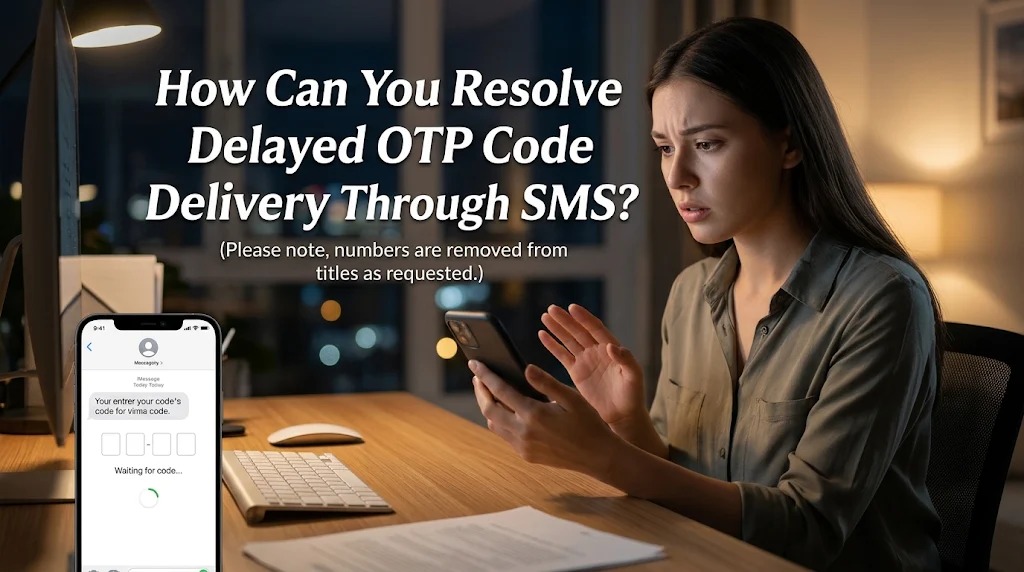
An OTP (One-Time Password) is a temporary verification code used to confirm a user's identity when accessing digital accounts, resetting passwords, or completing online transactions. Many digital platforms deliver OTP codes through Short Message Service (SMS) because this method is widely supported by mobile phones and does not require additional authentication applications. However, users sometimes experience delayed OTP delivery, making it difficult to complete important verification processes.
Delayed SMS verification can happen for several reasons, including unstable mobile networks, overloaded telecommunications systems, incorrect phone number settings, and technical problems with service providers. In some situations, the OTP message eventually arrives after the verification session has expired, causing users to repeat the process.
Understanding the causes of delayed OTP delivery can help users identify the problem and choose the right solution. With a few practical steps, users can improve SMS reception, avoid unnecessary verification attempts, and maintain the security of their digital accounts.
UNDERSTANDING WHY OTP CODES ARE DELAYED THROUGH SMS
SMS-based OTP delivery involves several communication stages. When a user requests a verification code, the digital platform generates a temporary password and sends it through an SMS gateway. The message is then transferred to the mobile operator's network before reaching the recipient's phone.
A delay can occur at any stage of this process. For example, an overloaded SMS gateway may take longer to process verification requests, while a mobile operator experiencing technical difficulties may delay message distribution. As a result, the OTP may arrive several minutes after the original request.
Another possible cause is poor mobile network coverage. When a phone has a weak signal or frequently loses its connection, incoming SMS messages may experience delays. These problems can become more noticeable in crowded areas, remote locations, or places with limited telecommunications infrastructure.
CHECK YOUR MOBILE NETWORK CONNECTION
The first step in resolving delayed OTP delivery is checking the mobile network connection. A weak cellular signal can interfere with communication between the mobile operator and the device. Users should move to an area with better reception and check whether the network indicator shows a stable connection.
Another practical solution is activating Airplane Mode for approximately 10 to 15 seconds before turning it off again. This action forces the smartphone to reconnect to the mobile network and may resolve temporary connectivity problems. Restarting the device can also help refresh network services and correct minor system errors.
Users should also check whether their SIM card is properly installed and functioning. If ordinary SMS messages from other numbers are also delayed, the issue may involve the mobile operator rather than the OTP service. In that situation, contacting the operator can help identify possible network disruptions.
VERIFY YOUR PHONE NUMBER AND SMS SETTINGS
An incorrect phone number can prevent an OTP message from reaching the intended recipient. Before requesting another verification code, carefully check the registered mobile number and ensure that every digit is correct. Pay particular attention to the country code and international number format required by the platform.
For Indonesian users, some services require mobile numbers to use the international country code +62 instead of the initial zero. However, the correct format depends on the platform's registration instructions. Using an unsupported format may cause verification messages to be sent to an incorrect destination or rejected by the system.
In addition to checking the phone number, examine your smartphone's SMS settings. Make sure that the messaging application is not automatically filtering verification messages into spam or blocked folders. Also, check whether any third-party security application is restricting incoming messages from automated senders.
REQUEST A NEW OTP CODE WITHOUT REPEATING TOO OFTEN
If the OTP message does not arrive, users may consider requesting a new code through the platform's official verification page. However, it is important to wait until the resend countdown finishes before submitting another request. Repeatedly pressing the resend button can trigger temporary restrictions or create confusion when multiple verification messages are delivered.
When several OTP messages arrive after a delay, use the latest valid verification code associated with the most recent request. Earlier codes may have expired or become invalid after a new code was generated. Entering an outdated OTP can result in repeated verification failures even when the message has finally arrived.
Users should also avoid making too many verification attempts within a short period. Some platforms temporarily limit requests to prevent automated abuse and suspicious account activity. Following the platform's instructions and waiting for the appropriate interval can make the verification process more reliable.
CONTACT YOUR MOBILE OPERATOR OR SERVICE PROVIDER
If delayed OTP messages continue despite checking the device and network settings, contact your mobile operator for assistance. Explain that automated verification messages are arriving late or not arriving at all. The operator may be able to check whether there are network disruptions, SMS filtering restrictions, or problems affecting incoming messages from specific sender systems.
If regular SMS messages arrive normally but OTP messages from one particular platform remain delayed, the issue may originate from the platform's authentication system. In this case, contact its official customer support team through the application or verified website. They may be able to investigate SMS gateway problems or provide an alternative verification method.
When reporting the issue, explain when the OTP was requested, how long the delivery took, and which service was involved. Do not share your password or active OTP code when requesting assistance. Legitimate customer support representatives should not require your confidential verification code to investigate an SMS delivery problem.
USE ALTERNATIVE VERIFICATION METHODS TO AVOID FUTURE DELAYS
Some digital platforms provide alternative authentication methods when SMS delivery is unavailable or unreliable. Depending on the service, users may be able to receive verification codes through email, automated phone calls, or authenticator applications. These alternatives can help complete account verification without depending entirely on SMS delivery.
An authenticator application is a useful option because it generates temporary verification codes directly on a smartphone. Unlike SMS-based OTP systems, time-based authenticator codes do not require an incoming text message or an active mobile network connection after the initial setup. However, users must keep their authentication credentials and recovery information secure.
To prevent future problems, maintain an active mobile number, update your account information, and regularly check your device's messaging settings. If you frequently experience SMS delays, consider using another authentication method supported by the platform. Choosing a reliable verification method can improve account accessibility while maintaining digital security.
CONCLUSION
Delayed OTP code delivery through SMS can result from unstable mobile networks, incorrect phone numbers, message filtering, overloaded SMS gateways, or technical problems involving service providers. Users can address these issues by checking network connections, refreshing their smartphones, verifying registered numbers, and reviewing SMS settings.
If the problem continues, contacting the mobile operator or the digital platform's official customer support team can help identify the underlying cause. Users can also consider authenticator applications or other supported verification methods to reduce dependence on SMS delivery. By following these practical steps, people can resolve OTP delays more effectively and maintain secure access to their digital accounts.
Recent Posts

Bagaimana Sistem SKS pada Program Kuliah... 22.11.2026/35 View

How Does Technology Make Daily Evaluation... 21.11.2026/69 View

Apa Strategi Menghadapi Kesenjangan antara Kompetensi... 21.11.2026/69 View

Mengapa Inventaris Aset Penting bagi Kelancaran... 21.11.2026/67 View

When Should Musicians Join a Record... 21.11.2026/68 View
