

What Causes an OTP Code to Become Invalid During Account Verification?
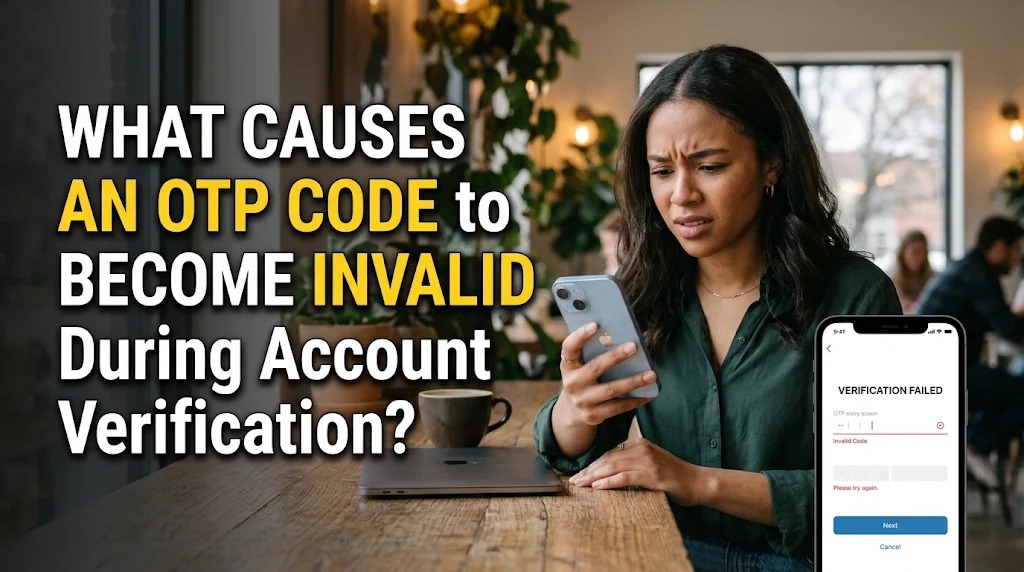
Digital platforms use security systems to protect user accounts from unauthorized access. One common method is the One-Time Password (OTP), a temporary verification code required during activities such as logging in, registering an account, resetting a password, or confirming online transactions. Although OTP codes are designed to make digital activities safer, users sometimes experience problems when their verification codes suddenly become invalid.
An invalid OTP code can prevent users from completing important activities, even when they believe they have entered the correct numbers. This situation can happen for several reasons, including expired codes, incorrect entries, repeated verification requests, and technical problems. Understanding these causes can help users identify verification errors and complete the authentication process more smoothly.
UNDERSTANDING WHAT MAKES AN OTP CODE INVALID
An OTP code is a temporary password generated by an authentication system to verify a user's identity. Unlike permanent passwords, it is generally designed for one-time use or a specific verification session. Each code is associated with certain conditions, such as an expiration period, an account, or a particular authentication request.
An OTP code becomes invalid when it no longer meets the security requirements established by the digital platform. For example, a code may expire after a short period or become unusable after another verification request generates a replacement. Even if the previous code looks correct, the system may reject it because it is no longer the active verification code.
This mechanism helps prevent criminals from reusing old verification codes to gain access to digital accounts. It also reduces the possibility of unauthorized authentication attempts. Therefore, an invalid OTP message does not necessarily indicate that an account has been compromised. In many situations, it simply means that the submitted code does not match the system's current verification requirements.
OTP CODES CAN EXPIRE BEFORE USERS ENTER THEM
One of the most common reasons an OTP code becomes invalid is expiration time. Most verification systems provide a limited period during which users can enter the code. Depending on the platform, the code may remain valid for only a few minutes or another specified duration.
Expiration limits are important because temporary codes are intended to reduce security risks. If a code remains active for too long, criminals may have more opportunities to use stolen verification information. By limiting its validity, digital platforms reduce the time available for unauthorized individuals to complete authentication.
Users may experience this problem when they receive SMS or email notifications late, especially when mobile networks or internet connections are unstable. For example, someone may request an OTP code but receive the message several minutes later. If the validity period has already ended, the code will no longer work.
To avoid this issue, users should enter the verification code immediately after receiving it. They should also check the expiration instructions displayed on the application or website. If the code has expired, requesting a new one is generally the most appropriate solution.
INCORRECT OTP ENTRIES AND REPEATED VERIFICATION REQUESTS
Another common cause of invalid OTP codes is entering the wrong numbers. Users may accidentally switch digits, overlook a number, or enter a code from an older notification. Although the difference may involve only one digit, the authentication system will reject the entire code if it does not match the expected value.
Some users also request several OTP codes because the first message does not arrive immediately. When a new code is generated, the previous one may become invalid, depending on the platform's security rules. As a result, entering an older code can lead to repeated verification failures.
Copying and pasting codes can sometimes create problems as well. Users may accidentally include additional spaces or select incomplete numbers when copying information from a notification. Although many applications automatically recognize verification codes, not every system supports this feature.
The best approach is to use the latest OTP code received for the active verification request. Users should carefully check every digit before submitting it and avoid requesting additional codes unless necessary. If the system limits verification attempts, waiting for the specified period before trying again may help prevent temporary restrictions.
TECHNICAL PROBLEMS THAT CAN CAUSE OTP VERIFICATION FAILURES
Not every invalid OTP problem is caused by user mistakes. Technical issues within applications, authentication servers, or communication networks can also interfere with verification. When a platform experiences server delays or temporary system failures, the code generated by the authentication service may not be processed correctly.
Another possible cause is an incorrect date and time setting on the user's device. Some authenticator applications generate time-based OTP codes that depend on accurate device synchronization. If the phone's clock is significantly different from the authentication server's time, the generated code may be rejected.
Internet connectivity can also affect the verification process. Although SMS codes do not always require an active internet connection to arrive, the application still needs network access to communicate with its authentication server. A weak connection may prevent the system from confirming whether the submitted code is valid.
Outdated applications and temporary software errors can create additional difficulties. Users should make sure they are using the latest official version of the application and restart their devices when necessary. If the problem continues, checking the service provider's official announcements or contacting its support team can help identify whether the issue comes from the platform.
HOW TO FIX AN OTP CODE THAT IS NOT WORKING
When an OTP code becomes invalid, users should first check whether it has expired. If the validity period has ended, they should request a new verification code through the official application or website. Entering an expired code repeatedly will not solve the problem.
Next, users should make sure they are entering the newest code rather than an earlier message. They should carefully review each digit and avoid submitting multiple codes from different verification attempts. If the application uses an authenticator app, checking the device's automatic date and time settings may also help resolve synchronization problems.
If the problem persists, users can try checking their internet connection, updating the application, and restarting their devices. They should also avoid requesting OTP codes too frequently because some platforms temporarily restrict verification attempts to prevent suspicious activity.
Finally, users should contact the official customer support service if none of these steps works. They should explain the verification problem without revealing their OTP code, password, or other confidential information. Legitimate customer support should never require users to disclose their private verification codes.
CONCLUSION
An OTP code can become invalid for several reasons, including expiration, incorrect entries, repeated verification requests, network interruptions, and technical problems. These situations can prevent users from completing account verification, even when they believe they have followed the correct procedure.
To avoid repeated errors, users should enter the latest OTP code promptly, check every digit carefully, and maintain a stable internet connection. They should also use official applications, keep their devices updated, and contact authorized support services when verification problems continue. Understanding these causes helps users complete digital authentication more effectively while maintaining account security.
Recent Posts

Bagaimana Sistem SKS pada Program Kuliah... 22.11.2026/35 View

How Does Technology Make Daily Evaluation... 21.11.2026/69 View

Apa Strategi Menghadapi Kesenjangan antara Kompetensi... 21.11.2026/69 View

Mengapa Inventaris Aset Penting bagi Kelancaran... 21.11.2026/67 View

When Should Musicians Join a Record... 21.11.2026/68 View
