

What Design Software Do Professional Designers Commonly Use?
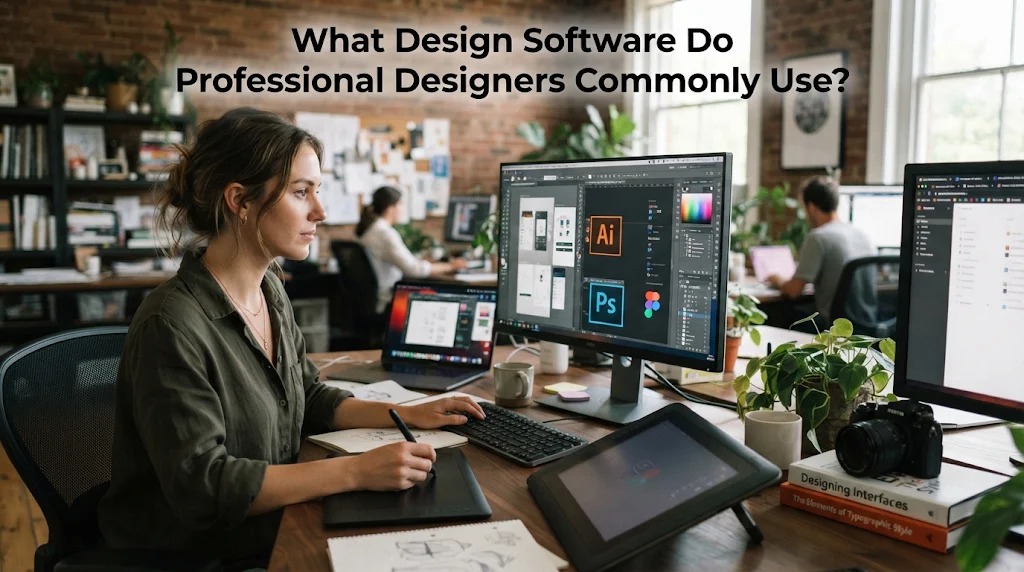
Design software plays an important role in helping professional designers create attractive, functional, and high-quality visual content. These tools make it possible to edit photographs, create illustrations, design websites, develop animations, and produce various digital materials. Each program has different features that support specific design needs.
In the digital era, mastering design software is an important step toward building a career in the creative industry. Designers need to understand which tools are suitable for their projects so they can work more efficiently and achieve professional results. Some programs focus on graphic design, while others are developed for photo editing, user interface design, and three-dimensional modeling.
ADOBE PHOTOSHOP FOR PHOTO EDITING AND DIGITAL DESIGN
Adobe Photoshop is widely used by professional designers for editing photographs and creating digital artwork. This software provides various tools for adjusting colors, removing unwanted objects, combining images, and improving visual quality. Its layer-based editing system allows designers to manage different elements more easily. Photoshop is also useful for creating promotional materials, posters, banners, and social media content.
Professional designers choose Photoshop because it offers flexibility when working with visual elements. Its features support both simple editing tasks and more complex creative projects. Although beginners may need time to understand its functions, regular practice can improve their abilities. Learning Photoshop can provide a useful foundation for people interested in graphic design and digital creative work.
ADOBE ILLUSTRATOR FOR VECTOR GRAPHICS
Adobe Illustrator is a design program commonly used to create vector graphics. Vector images can be enlarged or reduced without losing their sharpness, making them suitable for various design applications. Designers use this software to create illustrations, icons, typography, and other visual elements. It also provides drawing tools that help users develop precise shapes and detailed artwork.
Illustrator is particularly useful for projects that require consistent visual quality at different sizes. Designers can use it to prepare branding materials, product packaging, posters, and digital illustrations. Its flexible editing features make it easier to modify individual design elements. Understanding Illustrator can help aspiring designers develop stronger technical skills and produce professional visual content.
FIGMA FOR WEBSITE AND APPLICATION DESIGN
Figma is a popular design platform for creating website layouts and mobile application interfaces. It allows designers to develop visual concepts, interactive prototypes, and reusable design components. One of its main advantages is its collaborative functionality, which enables several team members to work on the same project. This makes it practical for companies and design teams that need to coordinate their work.
Professional designers use Figma to plan how users interact with digital products. They can create prototypes to demonstrate website navigation and application features before the development process begins. This approach helps identify usability problems and improve the overall user experience. Learning Figma is particularly beneficial for people interested in user interface and user experience design.
CANVA FOR PRACTICAL VISUAL CONTENT CREATION
Canva is a user-friendly design platform that helps users create visual materials without requiring advanced technical knowledge. It provides templates, fonts, illustrations, and other design resources that can be customized according to project requirements. Designers commonly use it to create presentations, social media content, posters, invitations, and promotional materials. Its simple interface makes it accessible to beginners and experienced users.
Canva is also useful for professionals who need to produce designs quickly. Its available templates and collaboration features can simplify content creation and support consistent visual styles. However, it may provide less detailed editing control than specialized design applications. Understanding Canva can still be valuable for designers who frequently work with digital marketing and everyday visual communication.
BLENDER FOR THREE DIMENSIONAL DESIGN AND ANIMATION
Blender is an open-source software program used for three-dimensional modeling, animation, rendering, and visual effects. It allows designers to create digital objects, characters, environments, and product visualizations. Its various tools support the development of detailed models and realistic visual presentations. Blender is also used in creative industries that require three-dimensional content.
Professional designers use Blender for projects involving animation, gaming, architecture, advertising, and digital entertainment. For example, designers can create three-dimensional product models to show how an item might look before it is manufactured. Animation professionals can also develop characters and create moving scenes. Although Blender requires consistent practice to master, its extensive capabilities make it a valuable tool for designers.
CONCLUSION
Professional designers use different design software depending on their specialties and project requirements. Photoshop is useful for photo editing, Illustrator supports vector graphics, Figma helps create digital interfaces, Canva simplifies visual content production, and Blender provides tools for three-dimensional modeling and animation. Each program offers different advantages that can support professional design work. By learning suitable software and practicing regularly, aspiring designers can improve their technical abilities, develop creative ideas, and prepare for opportunities in the design industry.
Recent Posts

How Does Technology Make Daily Evaluation... 21.11.2026/58 View

Apa Strategi Menghadapi Kesenjangan antara Kompetensi... 21.11.2026/60 View

Mengapa Inventaris Aset Penting bagi Kelancaran... 21.11.2026/56 View

When Should Musicians Join a Record... 21.11.2026/55 View

Daily Evaluation or Daily Planning Which... 21.11.2026/63 View
