

What Digital Calendar Features Help Organize Daily Activities?
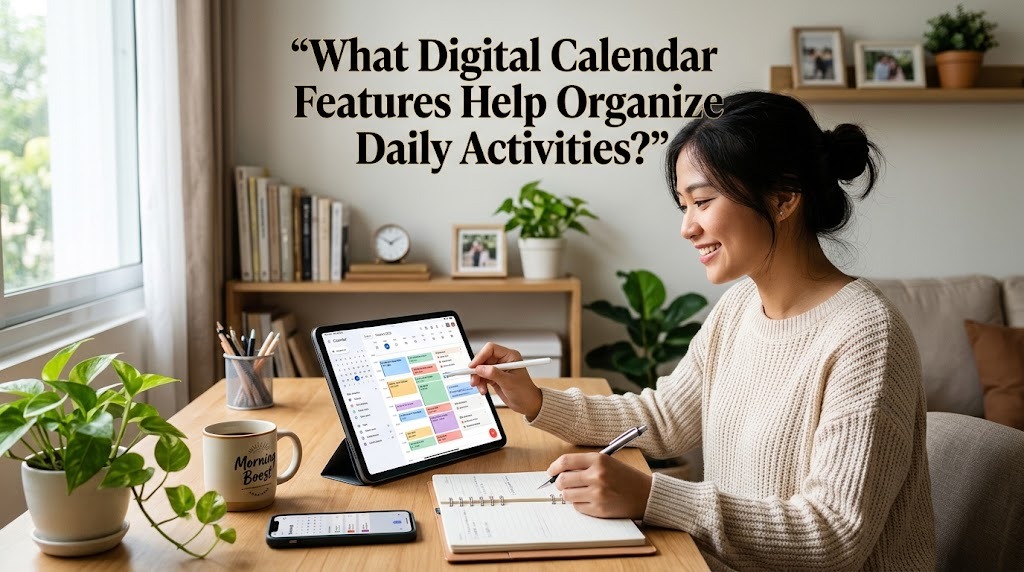
Digital calendars have become useful tools for organizing daily activities, managing schedules, and improving productivity. They help people plan their time, remember important appointments, and balance personal responsibilities with work or study. Unlike traditional paper calendars, digital calendars offer features such as automatic reminders, recurring events, task lists, and schedule sharing. These tools make it easier to manage daily routines from a smartphone, tablet, or computer. Understanding the most useful digital calendar features can help users choose the right tools and organize their activities more efficiently.
EVENT SCHEDULING AND TIME BLOCKING
Event scheduling is one of the most important digital calendar features because it allows users to record appointments, meetings, classes, and personal activities in one place. Users can set specific dates, start times, end times, and locations for each event. This information helps them understand their daily commitments and avoid scheduling multiple activities at the same time. Many digital calendars also support time blocking, which means assigning specific periods to particular tasks. For example, students can reserve time for studying, while employees can schedule periods for focused work.
Time blocking also helps users create a more realistic daily routine. By allocating enough time for each activity, users can reduce distractions and avoid rushing through important responsibilities. They can include breaks, meals, and travel time to make their schedules more practical. When plans change, most digital calendars allow events to be moved or adjusted easily. This flexibility makes event scheduling useful for people with busy and changing routines.
AUTOMATIC REMINDERS AND NOTIFICATIONS
Automatic reminders help users remember important activities without constantly checking their calendars. Depending on the application, users can receive notifications minutes, hours, or days before an event begins. These alerts are helpful for remembering meetings, assignment deadlines, medical appointments, and other time-sensitive responsibilities. Some calendar applications also allow multiple reminders for the same event. For instance, a user can receive one notification the day before an appointment and another shortly before leaving.
Notifications can reduce the risk of forgetting important commitments, especially when someone manages several activities each day. However, reminders are most effective when users choose notification times that match their needs. Too many alerts can become distracting, while reminders that arrive too late may not provide enough preparation time. Users should also check their device notification settings to ensure calendar alerts are enabled. Combining reminders with a well-organized schedule can improve punctuality and daily time management.
RECURRING EVENTS AND REPEATED TASKS
Recurring events allow users to schedule activities that happen regularly without creating a new entry every time. Examples include weekly meetings, daily exercise, monthly bill payments, and regular study sessions. Users can select a repetition pattern, such as every day, every week, or on a particular day of each month. This feature saves time and keeps routine activities visible in the calendar. It is especially helpful for people who follow consistent work schedules or personal habits.
Recurring events also support better planning because users can see their long-term commitments in advance. For example, a student can schedule weekly study sessions throughout a semester, while a professional can reserve time for regular team meetings. If a recurring activity changes, users can often update a single occurrence or modify the entire series. This prevents unnecessary editing and helps maintain an accurate schedule. Nevertheless, users should review recurring entries occasionally to remove activities that are no longer relevant.
TASK LISTS AND DEADLINE MANAGEMENT
Task lists help users turn their plans into specific actions that need to be completed. Instead of recording only appointments, users can add activities such as preparing a presentation, completing an assignment, buying groceries, or submitting a report. Many digital calendar applications allow users to set deadlines, mark tasks as completed, and organize work according to priority. Some also display tasks directly alongside scheduled events. This combination makes it easier to understand both what needs to be done and when it should be completed.
Deadline management becomes more effective when tasks are divided into smaller steps. For example, preparing a report can be separated into research, outlining, writing, and reviewing. Users can assign deadlines to each step and schedule enough time to finish the entire project. Prioritizing urgent and important tasks also helps prevent unnecessary delays. By reviewing their task lists regularly, users can identify unfinished work and adjust their schedules before deadlines become difficult to meet.
COLOR CODING AND CALENDAR CATEGORIES
Color coding helps users distinguish different types of activities quickly. They can assign separate colors to work, education, family responsibilities, exercise, and personal appointments. This visual organization makes a busy calendar easier to read because users can recognize activity categories without opening every event. Many digital calendars also support multiple calendars, allowing users to separate professional and personal schedules. These features are particularly useful for people who manage responsibilities across several areas of life.
A consistent color system can improve clarity and reduce the time needed to review daily plans. For example, students might use one color for classes and another for assignments, while employees might separate meetings from independent work. However, users should avoid choosing too many similar colors because this can make the calendar confusing. Clear event titles and meaningful category names should accompany color coding. When combined with a simple layout, these features make daily planning more organized and efficient.
CALENDAR SHARING AND COLLABORATION
Calendar sharing allows users to coordinate schedules with family members, classmates, colleagues, or project teams. Depending on the application and permission settings, users can share an entire calendar or provide access to selected events. This feature helps people find suitable meeting times, organize group activities, and avoid scheduling conflicts. Shared calendars are especially useful for teams that need to coordinate deadlines, meetings, and project milestones. They can also help families manage school events, appointments, and household responsibilities.
Collaboration becomes easier when everyone can view relevant scheduling information in one place. For example, a project team can use a shared calendar to track meetings and important submission dates. Users should still review access permissions carefully to protect personal information. Not every event needs to be visible to every participant, particularly when it contains private details. Clear sharing rules help maintain privacy while allowing people to coordinate their activities effectively.
SYNCHRONIZATION AND MULTI DEVICE ACCESS
Synchronization allows calendar information to remain consistent across supported devices. When users add or update an event on one device, the changes can appear on their other connected devices. This is convenient for people who use a smartphone while traveling and a computer at work or school. It reduces the need to enter the same information repeatedly and helps prevent outdated schedules from causing confusion. Many calendar services provide synchronization through an online account, although the exact features depend on the application and device settings.
Multi device access also makes schedules easier to check throughout the day. Users can review upcoming appointments, adjust event times, and receive reminders wherever they have access to their calendars. However, synchronization may require an internet connection, account access, and appropriate settings. Some applications support offline access, but changes may not appear on other devices until the connection is restored. Users should occasionally confirm that synchronization is working correctly and keep their account security settings up to date.
SEARCH, INTEGRATION, AND PRODUCTIVITY TOOLS
Search features help users find specific events without scrolling through an entire calendar. By searching for an event title, keyword, date, or participant, users can quickly locate previous meetings and upcoming commitments. This is particularly valuable for people who maintain calendars containing many appointments. Some applications also integrate with email, video conferencing platforms, navigation services, and task management tools. These integrations can simplify scheduling by allowing users to create events from messages or access meeting details directly from calendar entries.
Additional productivity tools may include agenda views, daily summaries, suggested meeting times, and estimated travel information. These features help users understand their upcoming responsibilities and prepare for activities more effectively. Some applications also provide analytics or scheduling insights, although their availability varies. Users should choose tools that support their actual needs rather than enabling every available feature. A simple calendar with reliable scheduling, reminders, and task management can be more effective than a complicated system that is difficult to maintain.
CONCLUSION
Digital calendar features help organize daily activities by combining event scheduling, automatic reminders, recurring events, task lists, and deadline management in one convenient system. Color coding and calendar sharing make schedules easier to understand and coordinate, while synchronization allows users to access updated information across supported devices. Search functions and productivity integrations provide additional convenience for managing busy routines. To get the best results, users should select features that match their daily responsibilities, set realistic schedules, and review their calendars regularly. With consistent use, a digital calendar can support better time management, reduce missed appointments, and improve productivity in both personal and professional life.
Recent Posts

Bagaimana Sistem SKS pada Program Kuliah... 22.11.2026/56 View

How Does Technology Make Daily Evaluation... 21.11.2026/86 View

Apa Strategi Menghadapi Kesenjangan antara Kompetensi... 21.11.2026/84 View

Mengapa Inventaris Aset Penting bagi Kelancaran... 21.11.2026/82 View

When Should Musicians Join a Record... 21.11.2026/86 View
