

What Is the Role of Digital Calendars in Improving Work Efficiency?
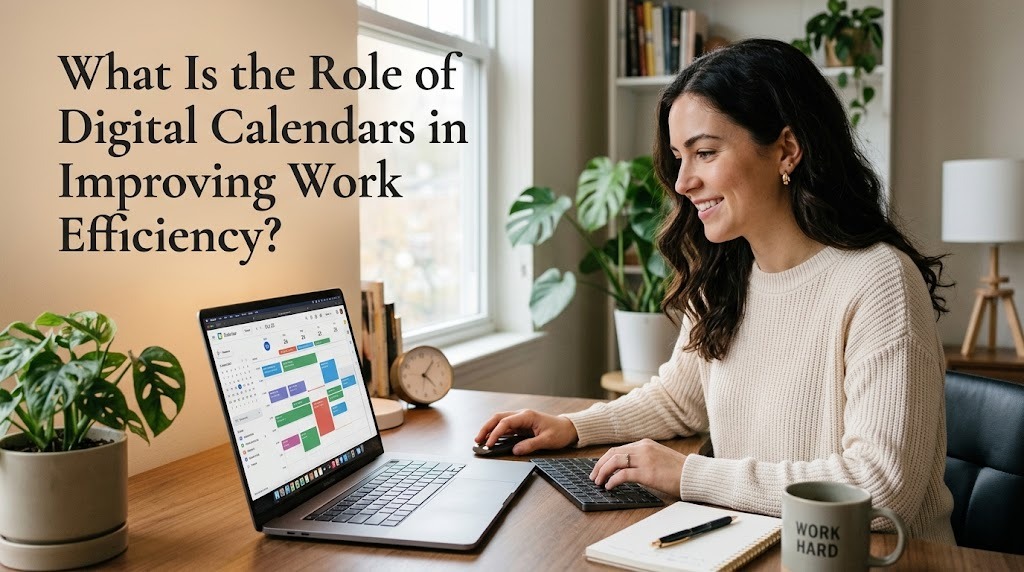
Digital calendars play an important role in improving work efficiency by helping people organize schedules, manage deadlines, and coordinate professional activities. In modern workplaces, employees often handle multiple tasks, attend meetings, and collaborate with colleagues across different departments. Without an organized scheduling system, these responsibilities can become difficult to manage. Digital calendars provide a practical solution by bringing appointments, deadlines, and work plans together in one accessible place. When used consistently, they can help employees save time, reduce scheduling errors, and maintain better control over their daily workload.
ORGANIZING DAILY WORK SCHEDULES
One of the main roles of digital calendars is to organize daily work activities in a clear and structured way. Employees can schedule meetings, assign time for individual tasks, and record important deadlines. Having these activities displayed in a daily or weekly view makes it easier to understand work priorities and plan available time. It also reduces the need to rely on memory or search through multiple notes to find important information.
A well-organized calendar helps employees prepare for the day before work begins. For example, an employee can schedule time for reviewing reports, responding to emails, and completing project assignments. By allocating specific periods to different responsibilities, employees can avoid spending too much time on less important activities. This structure supports a more predictable workflow and makes daily work easier to manage.
IMPROVING TIME MANAGEMENT AND PRIORITIZATION
Digital calendars help employees use their working hours more effectively by making their commitments visible. When deadlines and appointments are recorded in one place, employees can identify which responsibilities require immediate attention. They can also estimate how much time is available for additional tasks before accepting new assignments. This visibility helps prevent overbooking and encourages more realistic planning.
Time blocking is one useful method for improving work efficiency through digital calendars. It involves reserving specific periods for activities such as focused work, meetings, planning, and breaks. For instance, an employee might dedicate the morning to completing a demanding report and reserve the afternoon for collaboration. Although unexpected tasks may require adjustments, having a planned schedule provides a clear starting point and helps employees maintain their priorities.
REDUCING MISSED DEADLINES AND FORGOTTEN MEETINGS
Missing deadlines or forgetting meetings can disrupt workplace operations and affect professional relationships. Digital calendars help reduce these risks by allowing users to set reminders before important events. Notifications can alert employees about upcoming appointments, project milestones, and submission dates. These reminders provide additional time to prepare documents, review information, or complete unfinished work.
Digital calendars are particularly useful when employees manage several projects simultaneously. A project manager, for example, can record reporting deadlines, client meetings, and review sessions in a single calendar. This approach makes upcoming responsibilities easier to track and reduces dependence on memory. However, reminders are most effective when calendar entries are accurate and notification settings are properly configured.
SUPPORTING TEAM COLLABORATION
Digital calendars improve collaboration by making it easier for teams to coordinate schedules and plan shared activities. Employees can use shared calendars to view relevant meetings, project milestones, and team events. Depending on the application and permission settings, team members may also be able to create or update shared appointments. This reduces unnecessary communication and helps everyone understand when important activities are scheduled.
For example, a marketing team can use a shared calendar to coordinate campaign launches, content reviews, and client presentations. Team members can check relevant dates before scheduling additional work or arranging discussions. This improves coordination and reduces the likelihood of conflicting appointments. Nevertheless, teams should establish clear rules about calendar access, event updates, and schedule changes to maintain accurate information.
MAKING MEETINGS MORE EFFICIENT
Digital calendars help employees organize meetings by providing a clear record of scheduled discussions and their participants. Many applications support meeting invitations, automatic notifications, and integration with online meeting platforms. These features make it easier to arrange discussions without repeatedly exchanging messages about available times. Employees can also include meeting links, locations, and preparation notes when the application supports these options.
Effective calendar management can also reduce unnecessary meetings. Before arranging a discussion, employees can review their schedules and determine whether the meeting is necessary or whether another form of communication would be more efficient. Setting a clear duration and including an agenda in the event description can help participants prepare in advance. As a result, meetings can become more focused and leave employees with more time for their main responsibilities.
INCREASING FOCUS AND REDUCING WORK INTERRUPTIONS
Frequent interruptions can make it difficult for employees to complete demanding tasks. Digital calendars can help by allowing users to reserve uninterrupted periods for activities that require concentration. During these periods, employees can focus on writing reports, analyzing information, developing proposals, or completing technical work. Scheduling focused work also makes it easier for colleagues to understand when someone is available for discussions.
However, calendar planning alone cannot eliminate every workplace distraction. Employees may still need to respond to urgent requests or adjust their schedules when unexpected problems occur. For this reason, it is useful to leave flexible periods between major activities and avoid filling every available hour. A balanced calendar supports concentration while allowing enough time to handle changes and unexpected responsibilities.
PROVIDING ACCESS ACROSS DEVICES
Many digital calendars synchronize schedules across supported devices, allowing employees to access their plans from computers, tablets, and smartphones. This flexibility is valuable for people who work remotely, travel for business, or move between office locations. Employees can review upcoming appointments, check deadlines, and update events without being tied to a single device. Changes generally appear across connected devices when synchronization is enabled and functioning properly.
Access across devices also helps employees maintain a consistent view of their responsibilities throughout the working day. For example, an employee can schedule a client meeting on a laptop and check the details later on a smartphone. Some applications also provide offline access to previously synchronized information, although availability varies. Employees should periodically verify that important changes have synchronized correctly to avoid relying on outdated schedules.
CHOOSING AND USING DIGITAL CALENDARS EFFECTIVELY
The effectiveness of a digital calendar depends on selecting an application that matches workplace needs. Tools such as Google Calendar, Microsoft Outlook Calendar, and Apple Calendar offer different combinations of scheduling, reminders, sharing, and device integration. Organizations may prefer applications that work well with their existing email, communication, and project management systems. Individual employees should also consider ease of use, accessibility, and privacy settings when choosing a calendar.
To gain the greatest benefit, employees should record commitments as soon as they are confirmed and review their schedules regularly. Important deadlines should include realistic preparation time, while recurring activities can be scheduled automatically when appropriate. Users should also update canceled meetings and changed appointments promptly so that their calendars remain accurate. By combining consistent calendar use with clear priorities and realistic planning, employees can improve work efficiency without creating an unnecessarily complicated routine.
CONCLUSION
Digital calendars improve work efficiency by organizing daily schedules, supporting time management, reducing missed deadlines, and making team collaboration easier. They also help employees coordinate meetings, protect focused work periods, and access schedules across multiple devices. However, the benefits depend on accurate information, appropriate reminders, and consistent use. By choosing a suitable application and maintaining realistic schedules, employees can manage their responsibilities more effectively and create a more organized working environment.
Recent Posts

Bagaimana Sistem SKS pada Program Kuliah... 22.11.2026/56 View

How Does Technology Make Daily Evaluation... 21.11.2026/86 View

Apa Strategi Menghadapi Kesenjangan antara Kompetensi... 21.11.2026/84 View

Mengapa Inventaris Aset Penting bagi Kelancaran... 21.11.2026/82 View

When Should Musicians Join a Record... 21.11.2026/86 View
