

What Tips Can Help You Manage Digital Notes More Effectively?
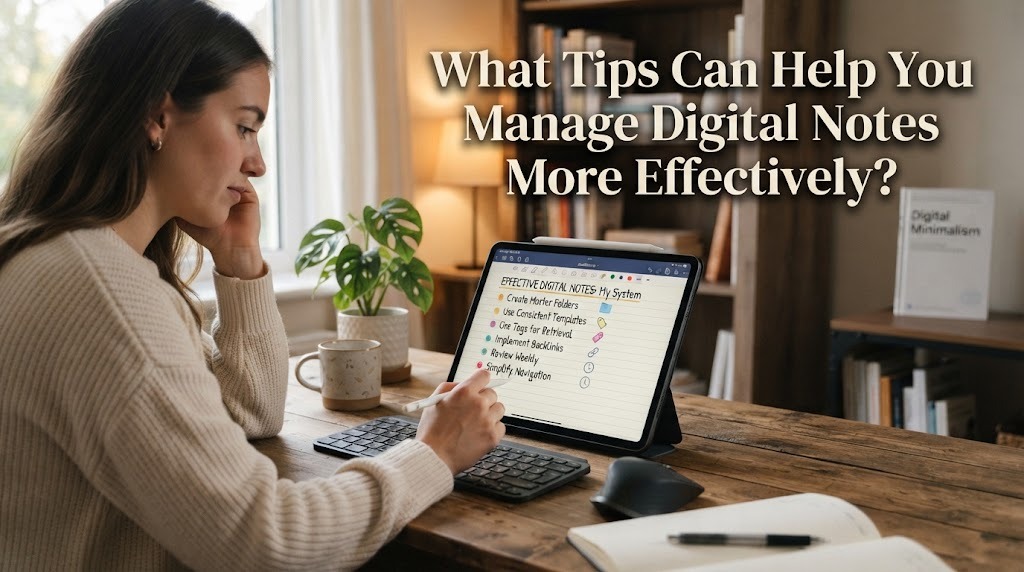
Digital notes can make it easier to record information, save ideas, and organize important materials. However, having too many notes without a clear system can make information difficult to find. Good digital note management helps users keep their notes organized and useful. It can also save time when they need to find specific information.
Managing digital notes does not have to be complicated. Simple habits such as using clear titles, creating categories, removing unnecessary notes, and reviewing information regularly can make a big difference. With a consistent system, digital notes can support studying, working, planning, and everyday activities.
CREATE CLEAR CATEGORIES
Creating categories is one of the easiest ways to organize digital notes. Users can separate notes based on subjects, projects, activities, or personal needs. For example, students can create categories for different school subjects, while workers can organize notes according to their projects. Clear categories make information easier to locate when it is needed.
The number of categories should also remain manageable. Creating too many categories can make the system confusing instead of helpful. Choose categories that are simple, logical, and related to the way you normally use your notes.
USE CONSISTENT NOTE TITLES
A clear title helps users understand the content of a note before opening it. Instead of using vague titles such as "Important" or "Notes," use specific titles that describe the topic. For example, "English Vocabulary Week 1" is easier to recognize than simply "English." Consistent titles also make search results more useful.
Users can create a simple naming pattern and use it for similar notes. This makes a large collection of digital notes easier to scan. Good titles improve both organization and accessibility without requiring complicated tools.
USE FOLDERS AND TAGS
Folders can help separate groups of related notes in a structured way. Tags can provide additional labels that connect notes with similar topics. For example, one note can be placed in a school folder and given tags related to an assignment or examination. Folders and tags can work together to create a more flexible organization system.
However, users should avoid adding too many tags. A small set of useful tags is usually easier to remember and maintain. The goal is to make notes easier to find, not to create a complicated system.
REMOVE UNNECESSARY NOTES
Digital storage can make it easy to keep information for a long time, but not every note needs to be saved forever. Old reminders, duplicate notes, and information that is no longer useful can make the collection difficult to manage. Regularly removing unnecessary content can keep the system clean and efficient.
Before deleting a note, users should check whether the information may still be needed. Important information can be archived instead of permanently deleted. This approach helps users reduce clutter while protecting information that may become useful later.
MAKE IMPORTANT INFORMATION EASY TO FIND
Important information should be easy to recognize when users open their notes. They can use headings, short sections, bullet points, or simple formatting to separate key details. Highlighting essential information can also make future reviews faster. A well-structured note is usually easier to understand than a long block of text.
Users should avoid excessive decoration because it can make notes harder to read. The focus should remain on clarity and useful information. Simple formatting can improve readability without making the notes complicated.
REVIEW AND UPDATE NOTES REGULARLY
Digital notes should be reviewed from time to time to make sure the information remains useful. Some notes may contain outdated details, unfinished ideas, or information that needs correction. Regular reviews help users update important information and remove unnecessary content.
A weekly or monthly review can be enough for many types of notes. The frequency can depend on how often the notes are used. Reviewing notes also gives users an opportunity to improve their organization system when their needs change.
BACK UP IMPORTANT DIGITAL NOTES
Organization is not enough if important notes can easily be lost. Users should create regular backups of valuable information, especially school projects, work documents, personal ideas, and other important materials. Backups can help restore information if a device is damaged, lost, or accidentally reset.
Cloud storage or another trusted backup location can be useful for this purpose. However, users should also protect their accounts and backup locations properly. Secure backups provide an additional layer of protection for important digital information.
CHOOSE A SYSTEM THAT FITS YOUR HABITS
The most effective note system is one that users can maintain consistently. A complicated system may look organized at first but become difficult to use over time. Users should choose tools and methods that match their daily habits and personal needs.
Some people may prefer folders, while others may rely more on tags and search functions. Students, workers, and personal users may also need different organization methods. The important thing is to create a system that makes recording, finding, and updating information easier.
CONCLUSION
Managing digital notes effectively starts with a simple and consistent organization system. Clear categories, specific titles, useful tags, regular reviews, and proper backups can help users keep their notes easy to find and maintain. Removing unnecessary information can also reduce digital clutter.
There is no single system that works for everyone. Users can adjust their method based on their needs, habits, and the type of information they store. With regular practice, well-managed digital notes can save time and support better productivity in daily activities.
Recent Posts

Bagaimana Sistem SKS pada Program Kuliah... 22.11.2026/33 View

How Does Technology Make Daily Evaluation... 21.11.2026/67 View

Apa Strategi Menghadapi Kesenjangan antara Kompetensi... 21.11.2026/67 View

Mengapa Inventaris Aset Penting bagi Kelancaran... 21.11.2026/65 View

When Should Musicians Join a Record... 21.11.2026/66 View
