

Why Are Digital Calendars Important for Effective Time Management?
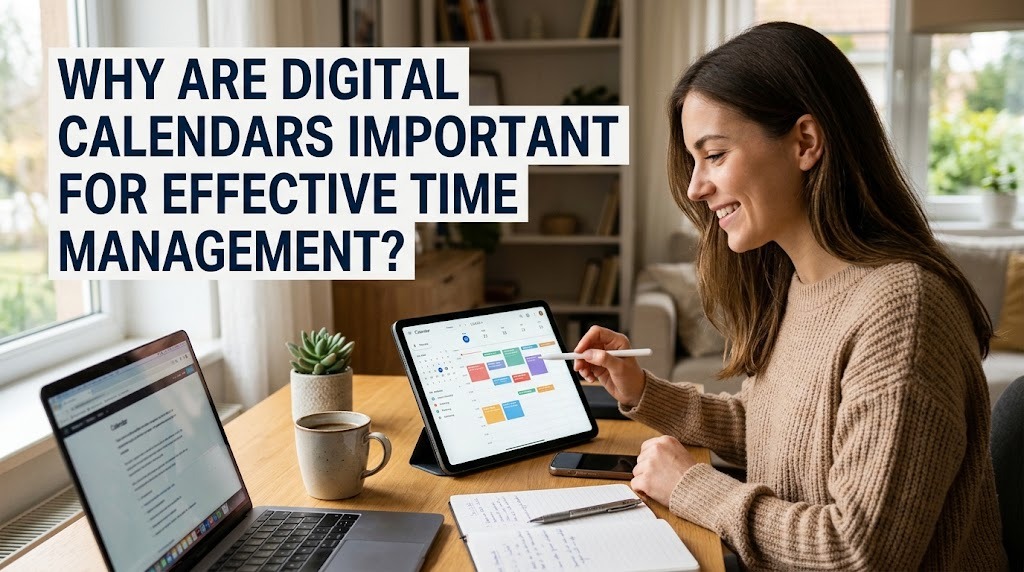
Digital calendars have become essential tools for managing daily activities, organizing schedules, and improving productivity. In a busy world where people must balance work, education, family responsibilities, and personal activities, keeping track of time can be challenging. Digital calendars help users plan their days, remember important deadlines, and manage multiple commitments more efficiently. Unlike traditional paper calendars, digital calendars can provide automatic reminders, flexible scheduling, and synchronization across different devices. Understanding their benefits can help individuals develop better time management habits and achieve their goals more effectively.
UNDERSTANDING THE ROLE OF DIGITAL CALENDARS
A digital calendar is an electronic tool that allows users to organize events, appointments, tasks, and deadlines. It can be accessed through smartphones, computers, tablets, and other compatible devices. Many digital calendars offer daily, weekly, and monthly views, making it easier to understand upcoming commitments. Users can also update schedules quickly when plans change, without rewriting an entire calendar.
Digital calendars are useful for students, employees, business owners, and anyone who needs to manage several activities. They provide a clear overview of available time and help users identify scheduling conflicts. Some applications also allow people to share calendars with colleagues, classmates, or family members. These features make digital calendars practical tools for improving organization and supporting effective time management.
IMPROVING DAILY SCHEDULING AND ORGANIZATION
One major benefit of digital calendars is their ability to organize daily activities in a structured way. Users can assign specific time slots to meetings, study sessions, work assignments, exercise, and personal responsibilities. This approach helps people understand how their time is distributed throughout the day. A well-organized schedule also makes it easier to prioritize important activities instead of deciding what to do at the last minute.
Digital calendars allow users to move, edit, or cancel events whenever necessary. For example, students can schedule classes and assignment deadlines, while employees can organize meetings and project milestones. Color coding can separate personal activities from professional responsibilities, making schedules easier to read. By maintaining an updated calendar, users can reduce confusion and approach their daily routines with greater confidence.
REDUCING FORGOTTEN APPOINTMENTS AND MISSED DEADLINES
Forgetting appointments or deadlines can create unnecessary stress and affect productivity. Digital calendars help prevent these problems by allowing users to set reminders before important events. Notifications can appear minutes, hours, or days before a scheduled activity, depending on the application and user settings. These alerts provide opportunities to prepare documents, complete assignments, or travel to appointments on time.
Reminders are especially helpful for people who manage multiple responsibilities. Students can receive alerts about examinations and assignment submissions, while professionals can prepare for meetings and project deadlines. However, reminders work best when users enter accurate information and enable the appropriate notification settings. Regularly reviewing the calendar also helps ensure that important commitments are not overlooked.
INCREASING PRODUCTIVITY AND FOCUS
Digital calendars can improve productivity by helping users plan their work before starting the day. Instead of spending time deciding which activity to complete next, users can follow a prepared schedule. This reduces unnecessary decision-making and encourages a more organized approach to work. Scheduling specific periods for important tasks can also help people concentrate on one responsibility at a time.
Another useful strategy is time blocking, which involves assigning dedicated periods to particular activities. For example, someone might reserve the morning for focused work, the afternoon for meetings, and the evening for personal activities. Including short breaks between demanding tasks can help maintain energy and concentration. Although a calendar cannot eliminate every distraction, it provides a practical framework for using available time more effectively.
SUPPORTING BETTER TIME MANAGEMENT PRIORITIES
Effective time management requires more than filling every available hour with activities. People must identify which responsibilities are urgent, which are important, and which can be postponed. Digital calendars make this process easier by displaying upcoming commitments and deadlines in one place. Users can then allocate sufficient time to high-priority tasks before less important activities take over their schedules.
For example, a university student may need to balance examinations, group projects, part-time work, and personal responsibilities. By entering these commitments into a digital calendar, the student can identify busy periods and prepare earlier. Professionals can use the same method to divide large projects into smaller milestones. Setting realistic priorities helps prevent overcommitment and makes daily plans more achievable.
MAKING COLLABORATION AND SCHEDULING EASIER
Digital calendars are particularly valuable when several people need to coordinate their schedules. Shared calendars can help teams arrange meetings, track important events, and understand when colleagues are available. Depending on the application and permission settings, users may be able to view shared events or edit schedules together. This reduces the need for repeated messages about meeting times and availability.
Students can also use shared calendars to coordinate group assignments, study sessions, and presentations. Families may use them to organize appointments, school activities, and household responsibilities. When everyone has access to the relevant information, misunderstandings about dates and times can be reduced. Users should still check time zones, privacy settings, and calendar permissions to ensure that shared scheduling works correctly.
ACCESSING SCHEDULES ACROSS MULTIPLE DEVICES
Many digital calendar applications synchronize information across supported devices when users are signed in and synchronization is enabled. This allows someone to create an event on a computer and review it later on a smartphone. Changes may also appear on other connected devices, depending on the application's settings and internet connection. Such flexibility makes digital calendars convenient for people who move between different locations throughout the day.
Cloud synchronization can also help users maintain access to their schedules when switching devices. However, synchronization may be delayed when a device is offline or an account encounters technical problems. Users should understand how their chosen application handles offline access and data recovery. For important appointments, maintaining accurate account settings and checking that changes have synchronized can prevent scheduling mistakes.
CHOOSING AND USING DIGITAL CALENDARS EFFECTIVELY
Choosing the right digital calendar depends on individual needs, preferred devices, and daily routines. Some users need only basic event scheduling and reminders, while others may benefit from shared calendars, recurring events, task integration, or meeting links. Popular options include Google Calendar, Microsoft Outlook Calendar, and Apple Calendar. Comparing their features, accessibility, and privacy settings can help users select a suitable tool.
To use a digital calendar effectively, enter important commitments as soon as they are confirmed. Set reminders according to the preparation time required, review the upcoming week regularly, and leave room for unexpected tasks. Avoid scheduling every minute because realistic plans need flexibility and breaks. It is also important to protect account access and avoid sharing sensitive personal information unnecessarily. Consistent use, rather than the number of features, is what makes a digital calendar valuable for long-term time management.
CONCLUSION
Digital calendars are important for effective time management because they help people organize schedules, remember deadlines, prioritize responsibilities, and improve productivity. Features such as automatic reminders, shared scheduling, and device synchronization make daily planning more convenient. When used consistently, digital calendars can reduce scheduling conflicts and support a healthier balance between work, education, and personal life. The best results come from creating realistic schedules, reviewing plans regularly, and choosing features that match individual needs.
Recent Posts

Bagaimana Sistem SKS pada Program Kuliah... 22.11.2026/56 View

How Does Technology Make Daily Evaluation... 21.11.2026/86 View

Apa Strategi Menghadapi Kesenjangan antara Kompetensi... 21.11.2026/84 View

Mengapa Inventaris Aset Penting bagi Kelancaran... 21.11.2026/82 View

When Should Musicians Join a Record... 21.11.2026/86 View
