

Why Are Digital Calendars Suitable for Modern Work Activities?
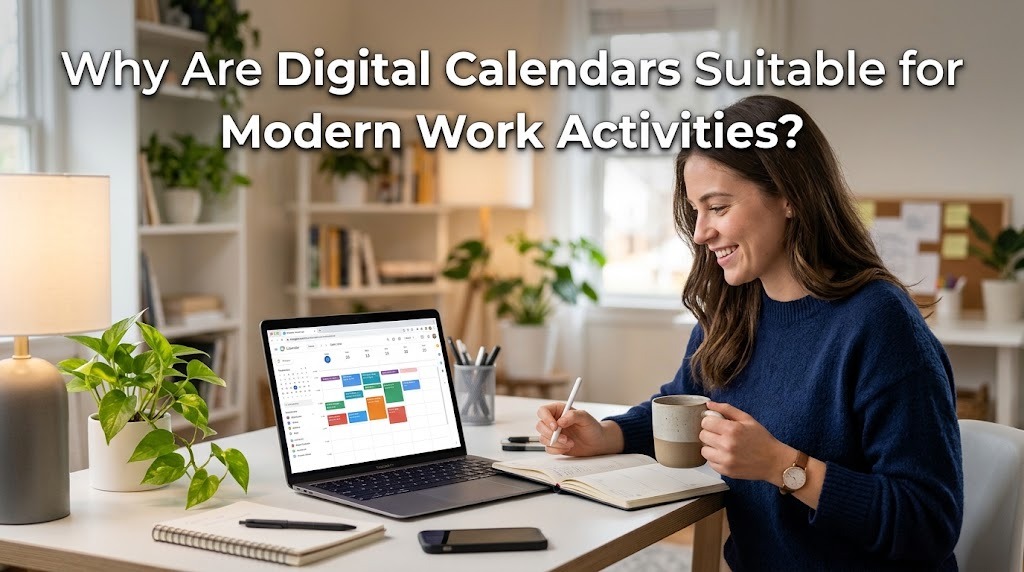
Digital calendars have become essential tools for modern work activities because they help people organize schedules, manage deadlines, and coordinate tasks more efficiently. As workplaces increasingly rely on digital communication and flexible working arrangements, employees need practical ways to track meetings, projects, and daily responsibilities. A digital calendar provides a centralized place to manage these activities and access important schedule information from compatible devices.
Unlike traditional paper planners, digital calendars offer features such as automatic reminders, recurring events, schedule sharing, and synchronization across devices. These features help employees adapt to changing priorities while maintaining an organized work routine. When used consistently, digital calendars can support productivity, improve collaboration, and make time management easier.
EASY ACCESS TO WORK SCHEDULES
One major advantage of digital calendars is the ability to access work schedules from computers, smartphones, and tablets. Employees can check upcoming meetings, deadlines, and appointments without carrying a physical planner. Many calendar applications synchronize information across connected devices, allowing schedule changes to appear on other devices when synchronization is available. This flexibility is particularly useful for employees who work in different locations or frequently travel for business.
Digital access also makes it easier to update schedules whenever responsibilities change. For example, an employee can move a meeting, add a project deadline, or check an appointment while working remotely. Instead of rewriting information manually, users can make changes directly in the application. This convenience helps keep work schedules organized and accessible throughout the day.
BETTER TIME MANAGEMENT AND PRODUCTIVITY
Digital calendars support effective time management by helping employees allocate specific periods to different activities. Workers can schedule focused work sessions, meetings, administrative duties, and breaks according to their priorities. Seeing these activities in a calendar makes it easier to understand how much time is available and whether the workload is realistic. This approach can reduce unnecessary delays and encourage more structured working habits.
Many calendar applications also allow users to create recurring events and set reminders for important tasks. These features reduce the need to remember every appointment or deadline independently. Employees can prepare for upcoming responsibilities and avoid spending too much time deciding what to do next. Although a digital calendar cannot guarantee higher productivity, using it consistently can make daily work more organized and manageable.
AUTOMATIC REMINDERS FOR IMPORTANT DEADLINES
Missing a deadline or forgetting a meeting can disrupt workplace activities and affect professional relationships. Digital calendars help reduce these risks by sending notifications before scheduled events. Users can customize reminder times based on the importance of an activity and the preparation it requires. For example, a routine meeting may need a short reminder, while an important presentation may require advance preparation several days earlier.
These notifications are especially useful when employees manage several projects simultaneously. Instead of checking every deadline manually, they can rely on scheduled alerts to support their daily planning. However, reminders should be configured carefully because too many notifications may become distracting. Choosing appropriate alerts helps employees stay informed while maintaining concentration on their current tasks.
SUPPORT FOR REMOTE AND HYBRID WORK
Modern workplaces often combine office-based work, remote activities, and hybrid arrangements. Digital calendars help employees coordinate their schedules regardless of where they work, provided they have access to the relevant application. Team members can arrange virtual meetings, reserve time for individual assignments, and communicate their availability more clearly. This makes scheduling easier when colleagues work from different locations.
Shared calendars can also help managers coordinate team activities and identify suitable meeting times. Employees may be able to see when colleagues are available without sending repeated messages to confirm their schedules. For remote teams, this visibility can reduce scheduling confusion and support smoother communication. Nevertheless, organizations should establish clear sharing permissions to protect private appointments and confidential work information.
EASIER TEAM COLLABORATION AND MEETING PLANNING
Digital calendars make collaboration more convenient by allowing users to invite colleagues to meetings and share relevant event details. Invitations can include meeting times, locations, online meeting information, and preparation requirements. When participants accept invitations, their schedules can reflect the planned activity, depending on their calendar settings. This helps everyone understand their responsibilities and prepare for discussions.
Calendar sharing can also improve coordination among departments and project teams. For example, a project manager can schedule progress meetings and establish recurring check-ins to monitor project development. Team members can review upcoming activities and plan their individual work around shared commitments. These capabilities make digital calendars useful for workplaces that depend on regular communication and coordinated deadlines.
FLEXIBILITY WHEN WORK PRIORITIES CHANGE
Work schedules do not always proceed according to plan. Urgent requests, unexpected meetings, and changing project requirements can require employees to adjust their daily activities. Digital calendars make these changes easier because users can edit events, move time blocks, and update deadlines without rewriting an entire schedule. This flexibility helps employees respond to new demands while keeping their other responsibilities visible.
A practical approach is to leave some unscheduled time for unexpected tasks and urgent problems. Employees should also review their calendars regularly to identify conflicts and rearrange lower-priority activities when necessary. Updating affected colleagues helps prevent confusion when a meeting or deadline changes. With regular adjustments, a digital calendar can remain useful even in a fast-changing work environment.
INTEGRATION WITH OTHER WORK TOOLS
Many digital calendar applications integrate with email services, video conferencing platforms, task managers, and workplace productivity tools. These connections can simplify routine activities by allowing users to create events from invitations or access meeting details directly from their calendars. Depending on the application, employees may also connect tasks with deadlines and organize related information in one workflow. This reduces the need to switch repeatedly between separate applications.
Integration is particularly beneficial for employees who manage multiple projects and communicate with several teams. For example, a meeting invitation received by email may be added to a calendar, while an online meeting link can provide direct access to a virtual discussion. However, available features depend on the applications, account settings, and workplace systems being used. Choosing compatible tools can make daily work more efficient without introducing unnecessary complexity.
IMPROVED WORK ORGANIZATION AND WORK LIFE BALANCE
Digital calendars can help employees understand how their working hours are distributed across meetings, projects, and administrative tasks. By reviewing their schedules, they can identify periods that are overloaded with meetings or lack sufficient time for focused work. This information makes it easier to adjust routines and establish more realistic expectations. Employees can also schedule breaks and personal commitments to create clearer boundaries between professional and personal responsibilities.
A balanced calendar should not contain work activities in every available time slot. Leaving space for rest, unexpected requests, and unfinished tasks can reduce scheduling pressure and make the plan more sustainable. Employees should also avoid sharing personal calendar details unnecessarily, especially when using workplace accounts. When used thoughtfully, digital calendars can support better organization while encouraging healthier working habits.
CONCLUSION
Digital calendars are suitable for modern work activities because they provide convenient scheduling, automatic reminders, time management features, and better coordination between team members. Their accessibility across compatible devices supports remote and hybrid work, while integration with other applications simplifies everyday tasks. They also allow employees to adjust schedules when priorities change and organize work around realistic goals. By using digital calendars consistently and protecting personal information, individuals and organizations can improve workplace efficiency and maintain more structured routines.
Recent Posts

Bagaimana Sistem SKS pada Program Kuliah... 22.11.2026/56 View

How Does Technology Make Daily Evaluation... 21.11.2026/86 View

Apa Strategi Menghadapi Kesenjangan antara Kompetensi... 21.11.2026/84 View

Mengapa Inventaris Aset Penting bagi Kelancaran... 21.11.2026/82 View

When Should Musicians Join a Record... 21.11.2026/86 View
