

Why Is an Academic Portal Not Working Properly?
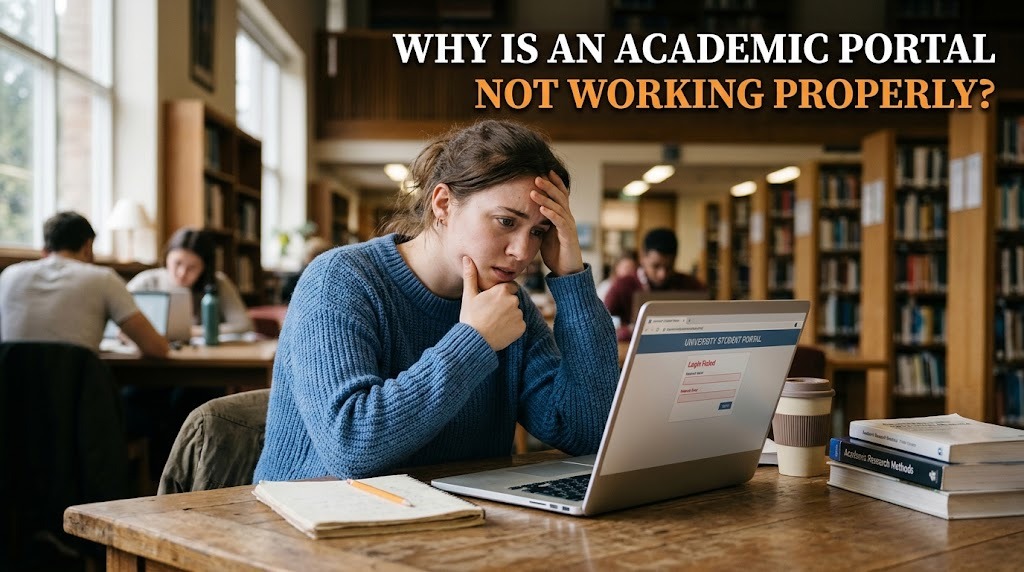
An academic portal is an important digital platform that allows students to access class schedules, grades, course registration, academic announcements, and other university services. When the system does not work properly, students may experience difficulties completing administrative tasks or obtaining important academic information. Problems can occur for several reasons, including technical errors, internet connection issues, incorrect login details, or scheduled system maintenance.
Understanding why an academic portal is not working properly can help students identify the possible cause and choose an appropriate solution. Not every problem means the entire system is broken. Some issues may originate from the user's device or account, while others require assistance from the university's technical team. Identifying the symptoms carefully can make troubleshooting more effective.
UNSTABLE INTERNET CONNECTION
One common reason an academic portal is not working is an unstable internet connection. A weak or interrupted connection can prevent the website from loading, cause pages to stop responding, or interrupt the submission of academic forms. These problems may be mistaken for system errors even when the portal itself is operating normally.
Students can begin by checking whether other websites or online services are working. If the connection is unstable, they can try reconnecting to the network or switching to another reliable connection. Refreshing the page after the connection has stabilized may also help. However, students should avoid repeatedly submitting the same form without checking its status because the original request may already have been processed.
INCORRECT LOGIN DETAILS OR ACCOUNT PROBLEMS
Another possible cause of academic portal login problems is entering incorrect credentials. A typing error in the username or password, an incorrect student identification number, or a password that has expired can prevent successful access. Some systems may temporarily restrict login attempts after repeated failures as a security measure.
Students should carefully verify their login information and make sure they are using the correct portal address. If they have forgotten their password, they should follow the official password recovery procedure provided by the university. If the account remains inaccessible, the university's IT support team or student administration department can help determine whether the account requires activation, verification, or another form of assistance.
SERVER ERRORS AND SCHEDULED MAINTENANCE
An academic portal system may also become temporarily unavailable because of server problems or scheduled maintenance. Universities sometimes update software, improve security, repair technical issues, or perform routine maintenance that temporarily affects access. During periods of heavy use, such as course registration or grade publication, the system may also respond more slowly than usual.
When this happens, students may encounter error messages, blank pages, delayed loading, or unsuccessful requests. They can check official university announcements to see whether maintenance or service interruptions have been reported. If the problem affects multiple users, it may require intervention from the technical team rather than changes to an individual device. Students should wait for official updates and avoid making repeated submissions while the system is unstable.
BROWSER, DEVICE, OR COMPATIBILITY ISSUES
Problems with a browser or device can affect how an academic portal website functions. An outdated browser, corrupted cached data, disabled website features, or incompatible settings may prevent certain pages from displaying correctly. Some portals may also work differently across mobile devices and desktop computers.
Students can try updating their browser, reopening the page, or using another supported browser. Clearing cached data may help if the page continues to display outdated information or behaves unexpectedly. Before clearing browser data, students should make sure they know how to access their account again because they may need to sign in afterward. If the problem persists across different browsers and devices, the cause may be related to the portal itself and should be reported to the university's technical support team.
SYSTEM ERRORS AND INCOMPLETE ACADEMIC DATA
Sometimes an academic portal not working properly may involve a specific feature rather than the entire website. For example, course registration may fail to submit, grades may not appear, or student information may display incorrectly. Such problems can result from data synchronization delays, incomplete administrative updates, system errors, or restrictions associated with a particular academic process.
Students should check whether the issue concerns one menu or several portal functions. If a grade is missing, for example, the information may not have been published yet. If course registration fails, there may be a deadline, prerequisite, or approval requirement that needs attention. Students should document the error message and contact the appropriate university department when necessary. They should avoid repeatedly changing or resubmitting information until they understand the status of the original request.
CONCLUSION
An academic portal may not work properly because of unstable internet connections, incorrect login details, server interruptions, browser compatibility issues, or errors involving specific academic services. Identifying the symptoms can help students determine whether the problem can be resolved independently or requires assistance from the university.
Students can begin by checking their connection, verifying their credentials, reviewing official maintenance announcements, and trying supported browser troubleshooting steps. If the issue continues, contacting the university's IT support team or academic administration department is the appropriate next step. By troubleshooting carefully and avoiding repeated submissions, students can reduce the risk of further problems while waiting for the portal to return to normal operation.
Recent Posts

Bagaimana Sistem SKS pada Program Kuliah... 22.11.2026/57 View

How Does Technology Make Daily Evaluation... 21.11.2026/86 View

Apa Strategi Menghadapi Kesenjangan antara Kompetensi... 21.11.2026/84 View

Mengapa Inventaris Aset Penting bagi Kelancaran... 21.11.2026/82 View

When Should Musicians Join a Record... 21.11.2026/86 View
